01The "Getting started" page
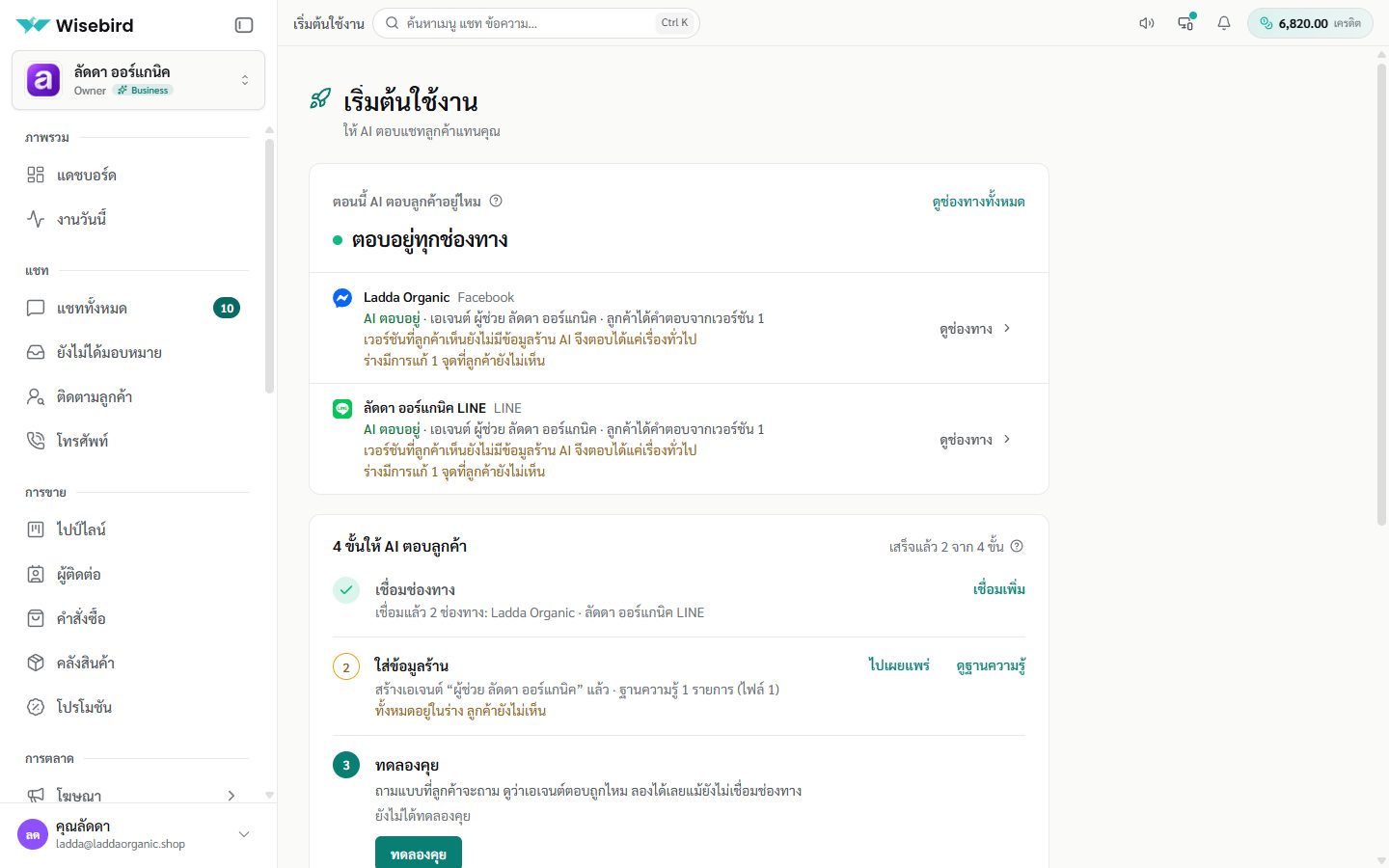
After you create a business you land here automatically; you can always open Getting started yourself. It has three parts.
Part 1
Is the AI answering customers right now?
Per channel. When the AI is silent on one, it says why and offers the fix.
Part 2
4 steps to let the AI answer customers
How many are done and what is next — press "Do this next".
Part 3
Can do later
Things that make answers better, but are not urgent.
02Follow this order
This order is the easiest, but you can do a later step first — progress is counted from what you have really set up.
Connect a channel
Connect LINE, Facebook, Instagram, TikTok or the website chat box so customer messages arrive in All chats.
Create an agent and add shop information
An agent is the AI that answers chats for your shop. Create one, then tell it what you sell, prices, shipping and your conditions — the AI answers customers from this.
What you add goes into the draft first. Press Publish before customers get answers from it.Test chat
Ask what a customer would ask and check the answers. You can try before any channel is connected. If an answer is off, add more shop info and try again.
Start answering
Press Start answering and choose which agent answers which channel. The AI starts with the customer's next message.
The AI uses credit every time it answers, including when you try it. See your balance and how to top up in Plans and credits.Invite your team
Invite admins or sales staff to answer chats and look after customers. Each person sees and does what their role allows — see Members and roles.
03Can do later
At the bottom of Getting started you find the things that can wait. Each row shows its status; press it to set it up.
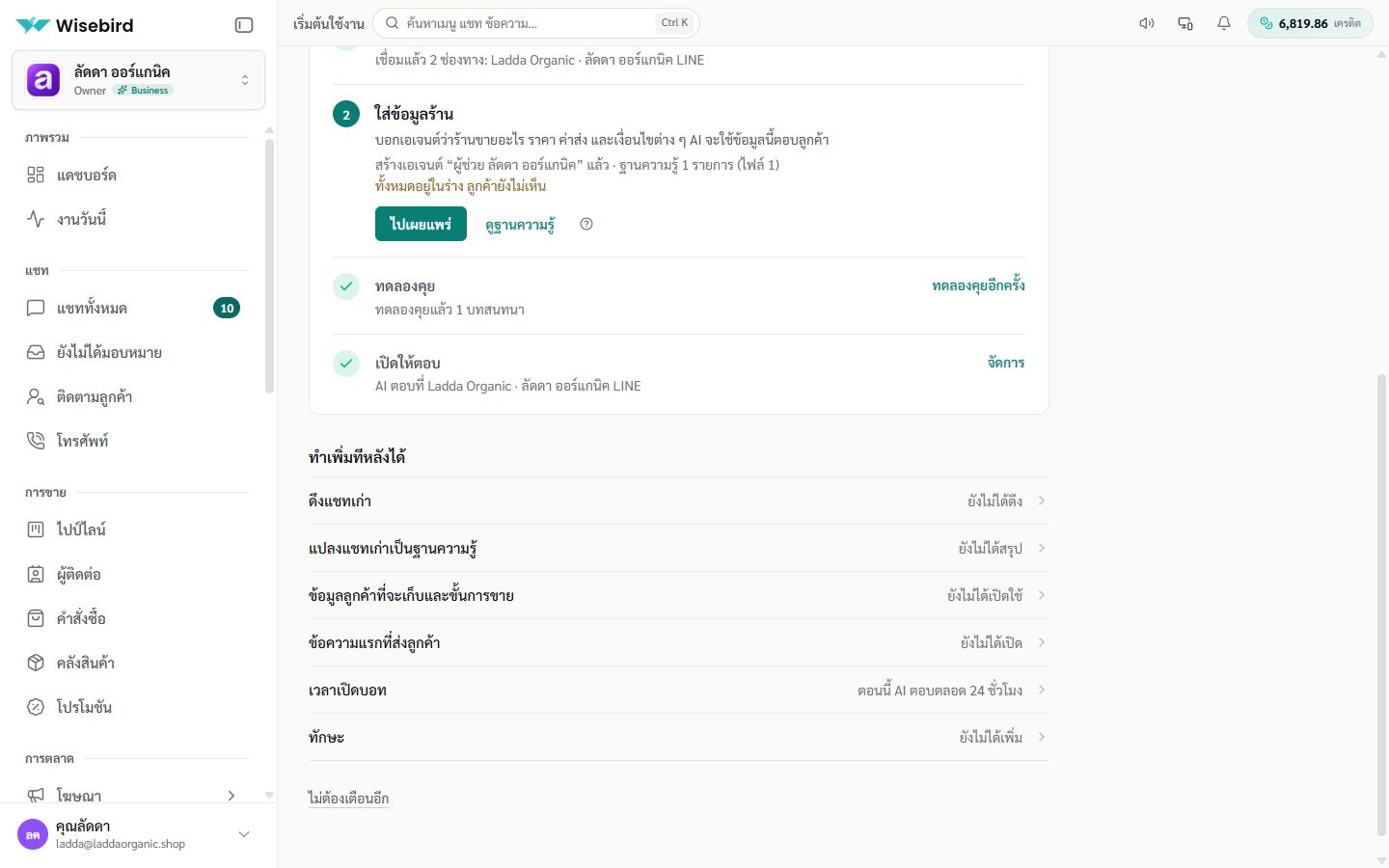
- Import past chats — bring past conversations into All chats
- Turn past chats into knowledge — Wisebird reads how your shop has answered and summarises it into the agent's knowledge
- Customer details and sales stages — let the AI note name, phone and address and move customers along your pipeline
- First message to customers — the greeting sent when a customer writes for the first time
- Bot hours — when the AI answers; outside these hours your team answers
- Skills — extra abilities for the agent
To stop the reminder bar on other pages, press Don't remind me again. You are still warned whenever a connection expires or credit runs out.