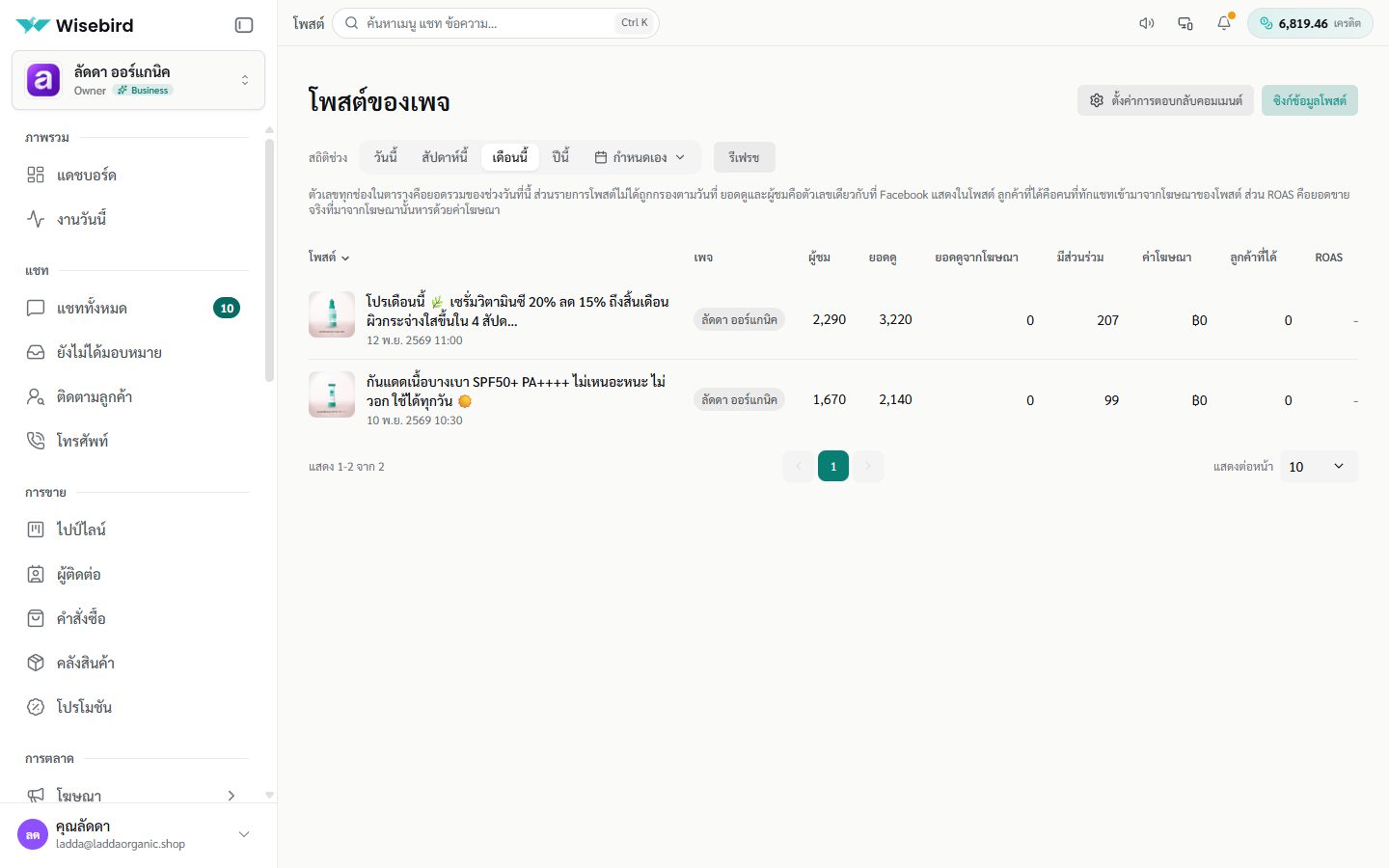
01Your Page's posts
The table lists every post of your connected Pages. Every number is the total for the chosen date range (the list itself is not filtered by date).
- Reach · Views — the same numbers Facebook shows on the post
- Views from ads · Ad spend — when the post was used as an ad
- Customers gained — people who messaged from that post's ads
- ROAS — real sales from that ad divided by its spend
02Answer from the Comments page
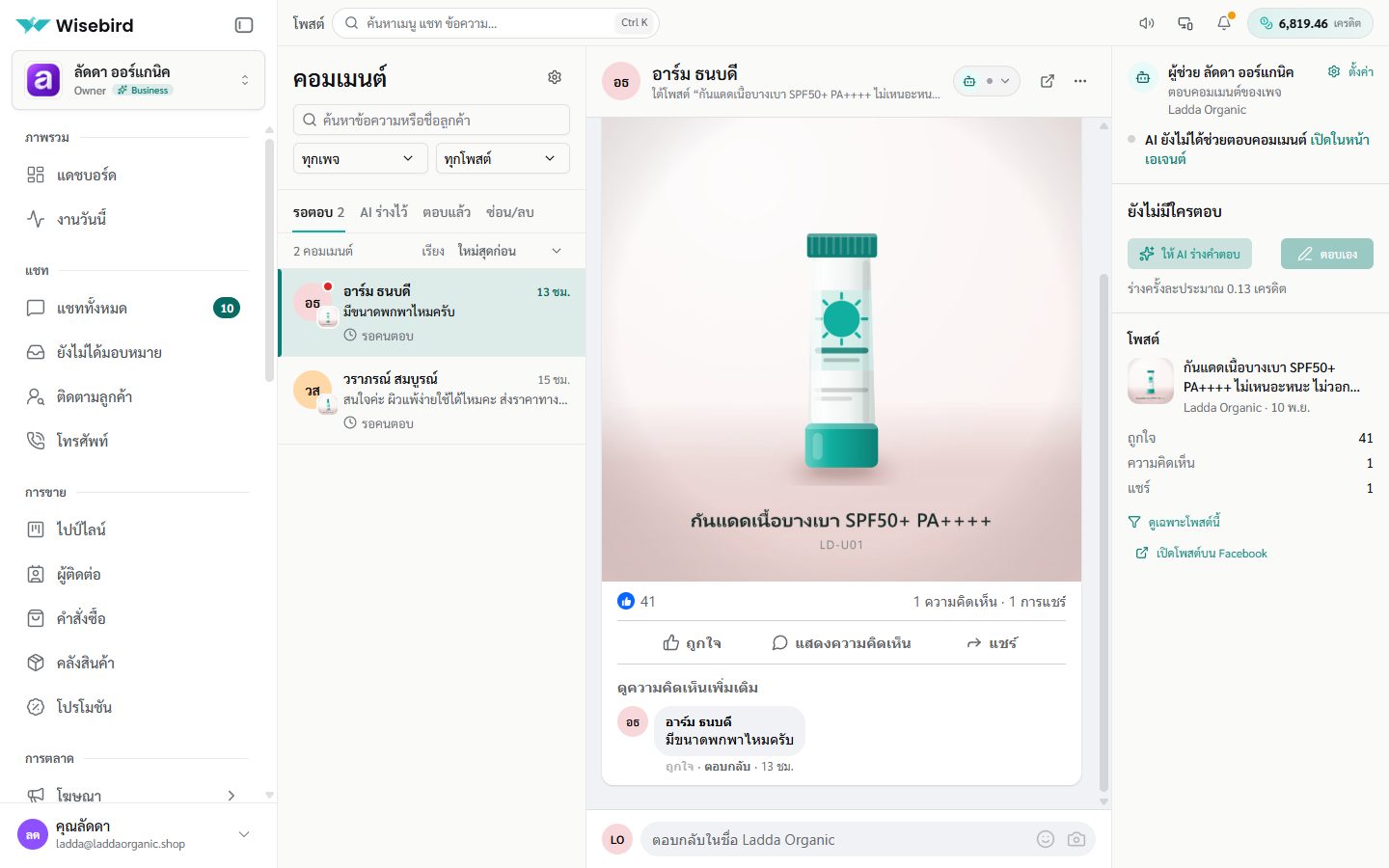
Pick a comment from "Needs reply"
Filter by Page or post, or search by text or customer name. Just connected the Page and want older comments? Press Fetch past comments.
- Needs reply — nobody has answered
- AI drafted — the AI wrote an answer waiting for review
- Replied — the Page answered, here or on Facebook
- Hidden/deleted — hidden or deleted comments
Message privately when it should not be public
Turn on Also send a private message in Messenger to message the customer in chat — for a personal price, an address or bank details.
Facebook and Instagram allow a private message from a comment once per comment, within 7 days of the comment. After that the Page cannot send anything more until the customer replies.Hide an unsuitable comment
Press Hide comment. The commenter and their friends still see it; nobody else does. You can unhide it any time. Hidden or deleted comments move to the Hidden/deleted tab.
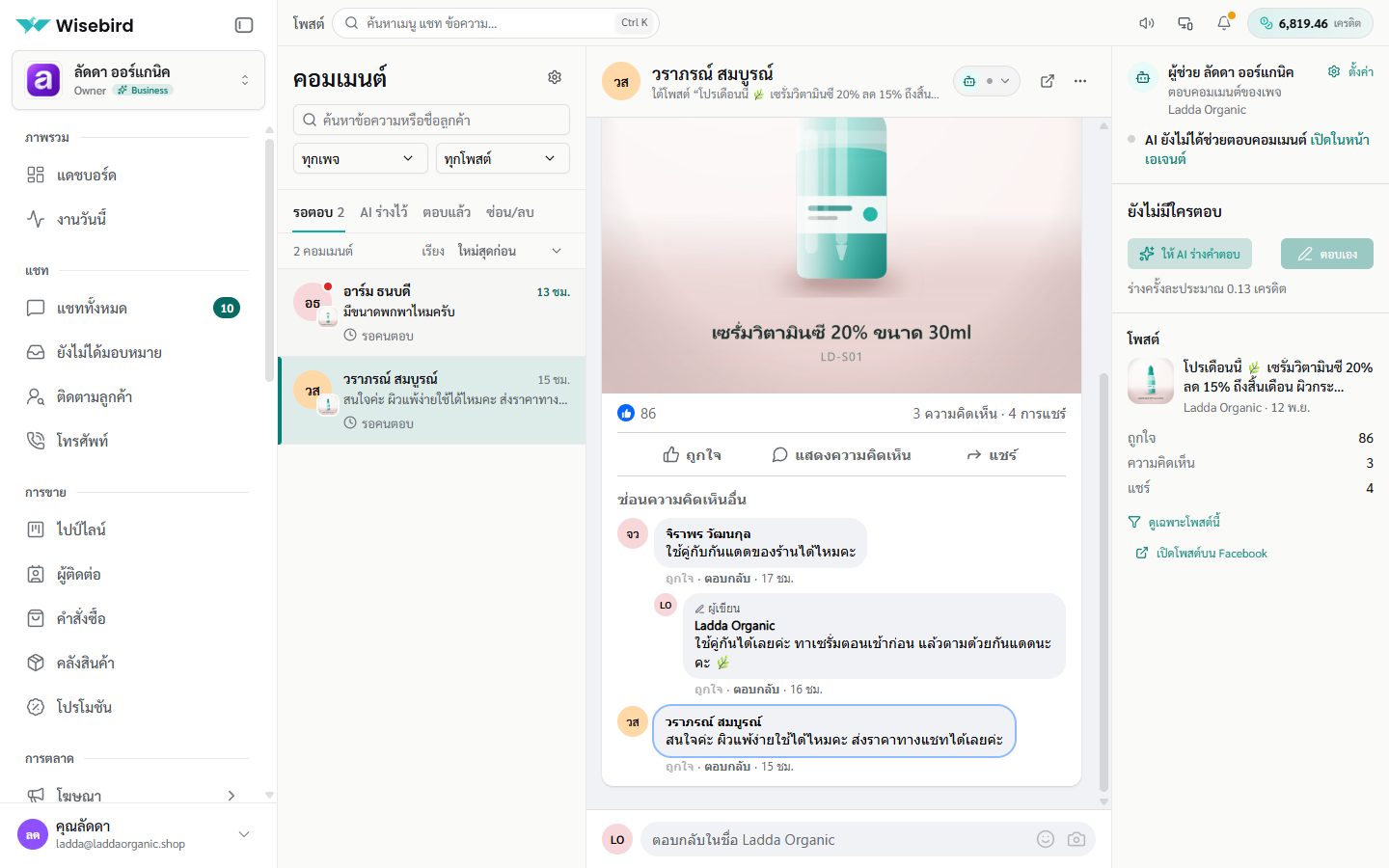
03Answer from the inbox
A customer's comment lands in their chat in the inbox straight away — the same chat they use to message the Page — so comments and messages sit together in real time order.
Badges in the chat list:
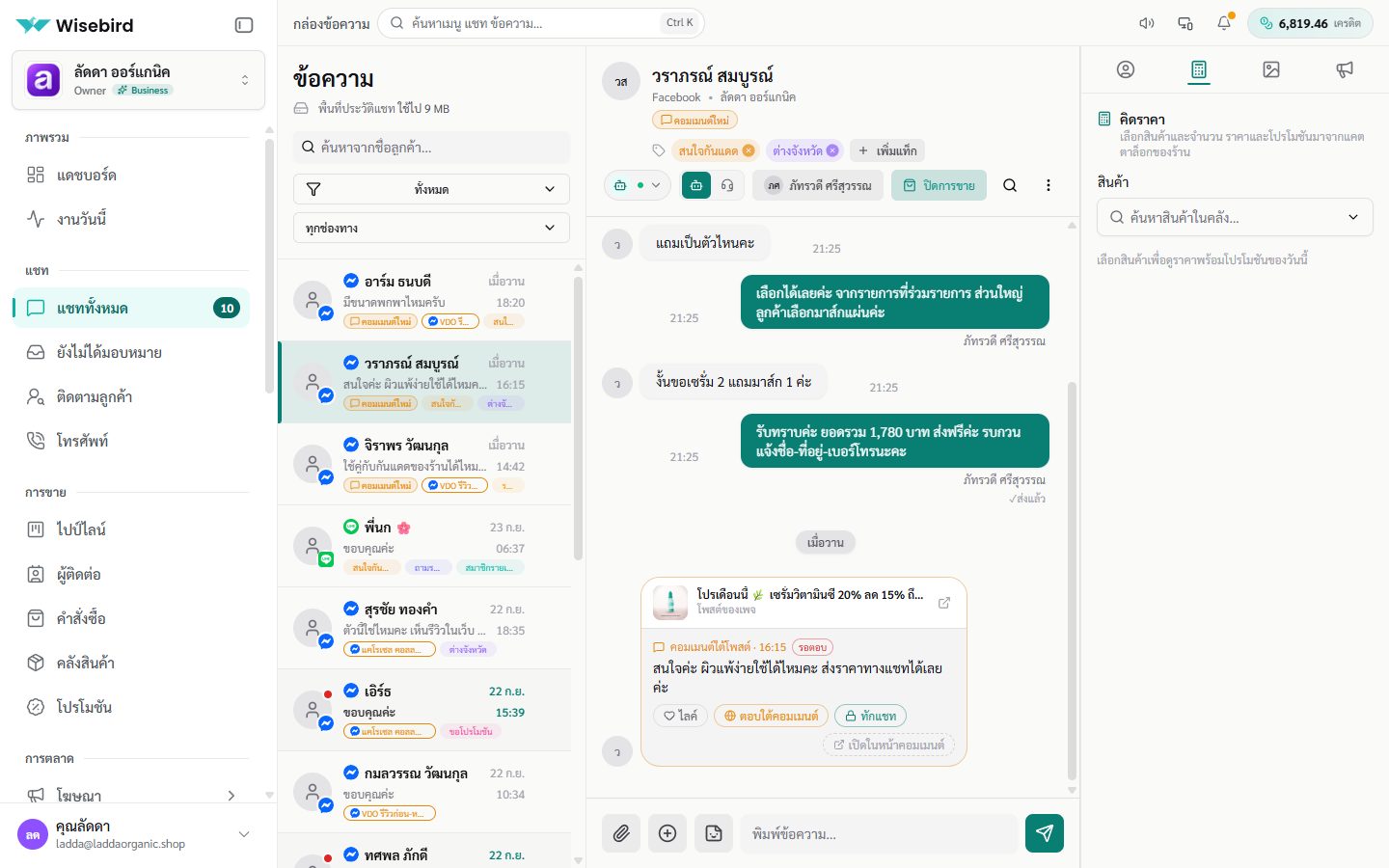
Press "Reply under comment" or "Message privately" on the card
The bar above the message box says where your message goes: an amber bar Reply under comment · everyone who sees the post will see it, or a teal bar Private message from this comment · can be sent once.
Comment replies are text only; attached files wait until you go back to the normal chat. In a chat that only has comments, pick a comment before typing.Type and send
The send button reads Reply under post or Message privately. A reply under a comment shows as a dashed bubble labelled "Reply under post · everyone sees it".
04Let the AI help with comments
Press Reply settings (the gear) on the Comments page. You are taken to the Comments page of the agent that looks after the Page.
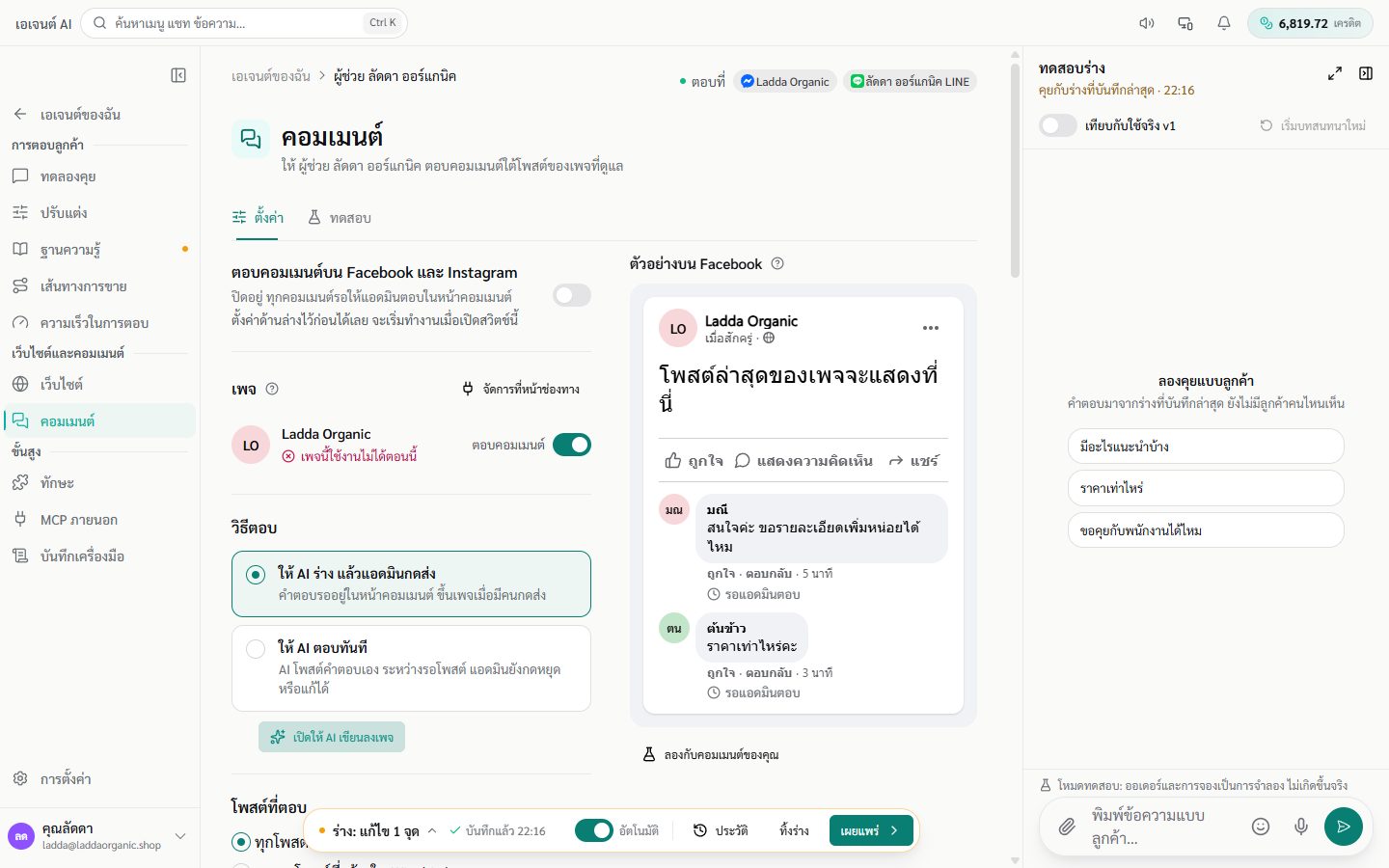
- Reply to comments on Facebook and Instagram — while off, every comment waits for an admin
- How to reply — AI drafts and an admin sends, or the AI replies right away (you can still stop or edit before it posts)
- Posts to reply to · Reply style · Length — which posts, and the same voice as in chat
- Move to Messenger — for prices, orders or personal details the AI answers briefly and messages privately
- Never say in comments — topics the AI keeps out of public view, one per line