01What each channel brings
Old chats + labels
Old chats as far as Facebook allows, then the Page inbox's labels synced as tags
Instagram · TikTok
Old chats
Old chats as far as the platform allows; no labels to sync
LINE
From today
LINE doesn't allow pulling past chats; messages are kept from the moment you connect
02Following the progress
After you create the channel, a progress panel appears on Channels above the search box, and All chats shows a one-line strip above the chat list.
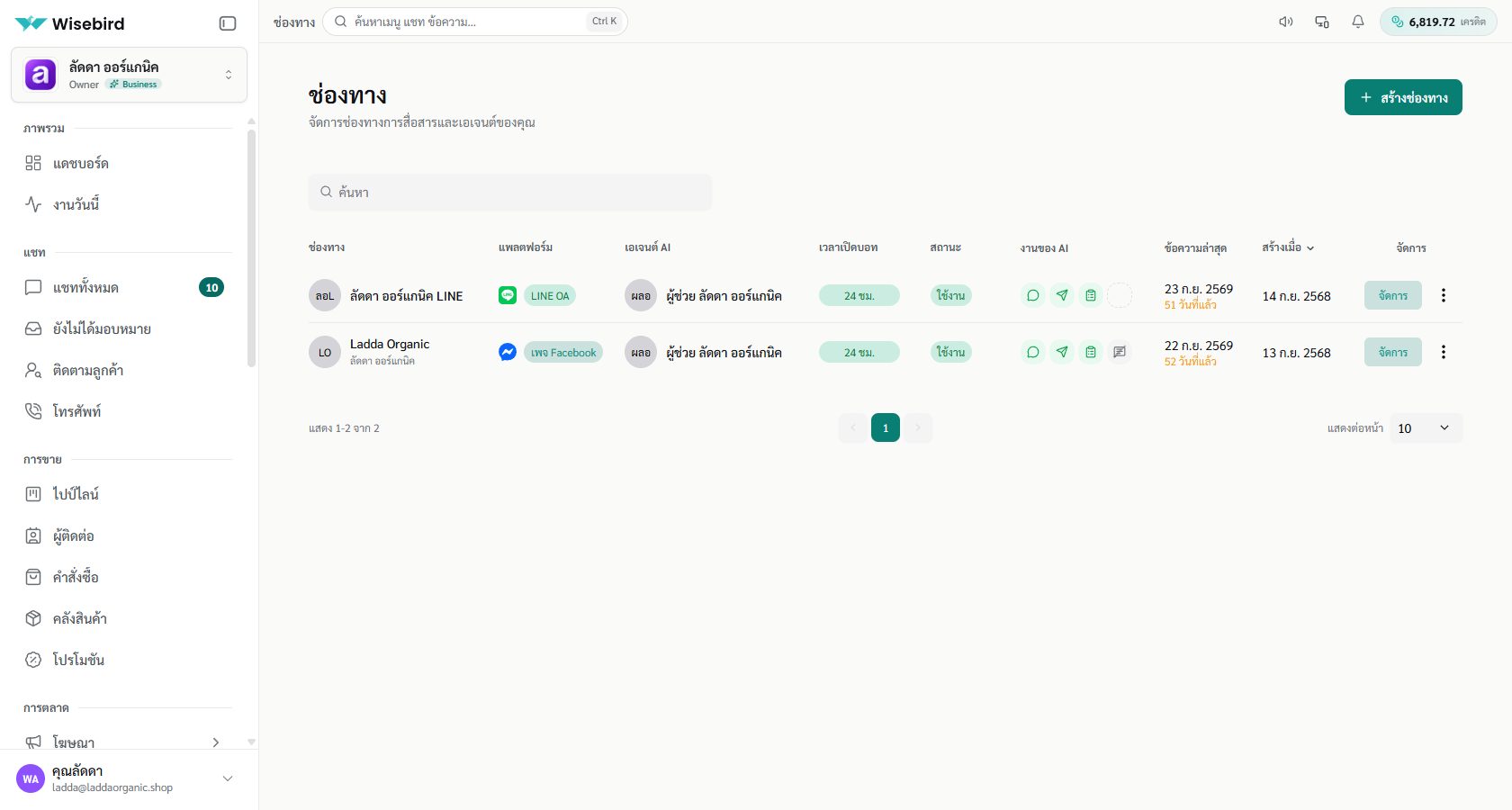
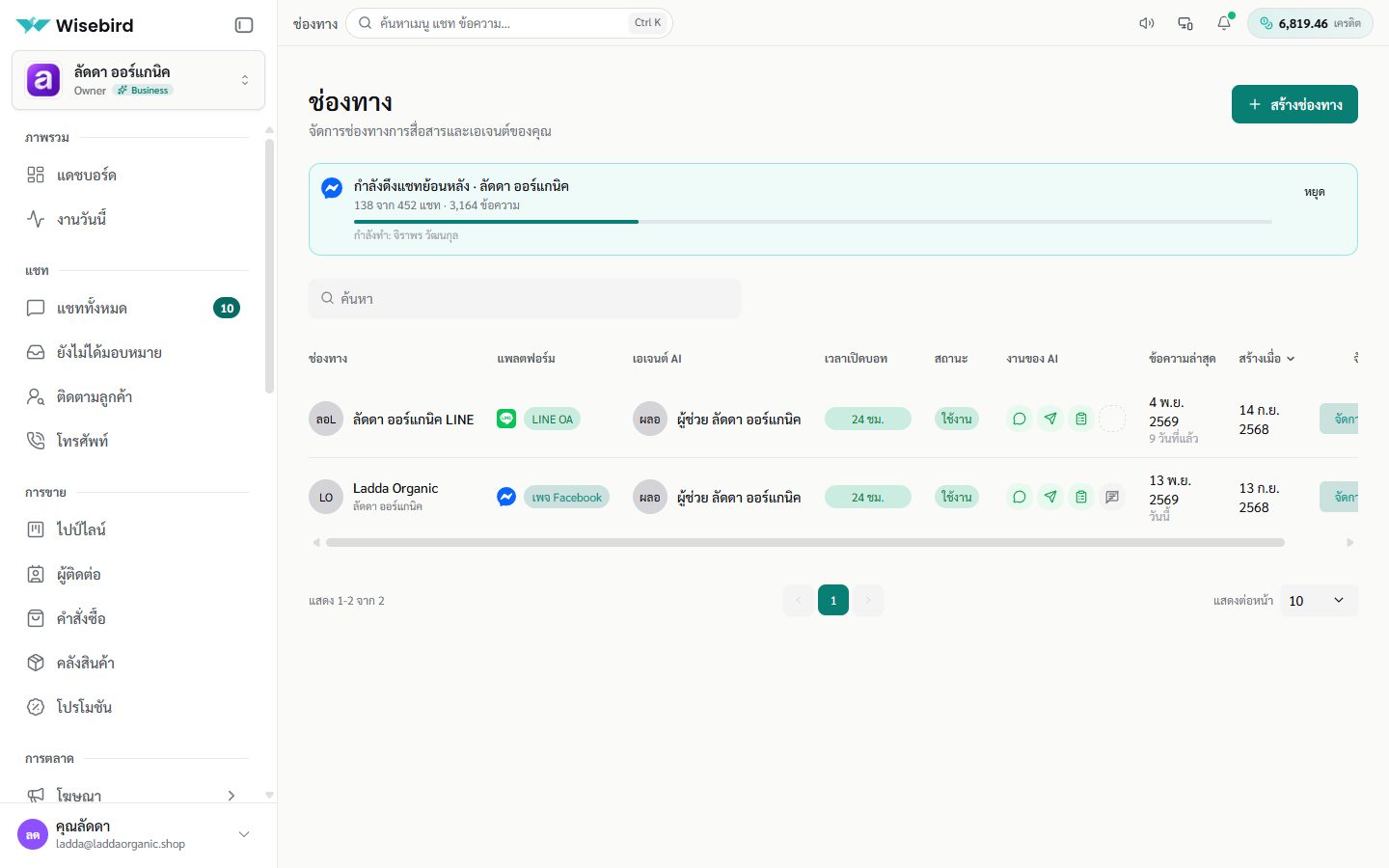
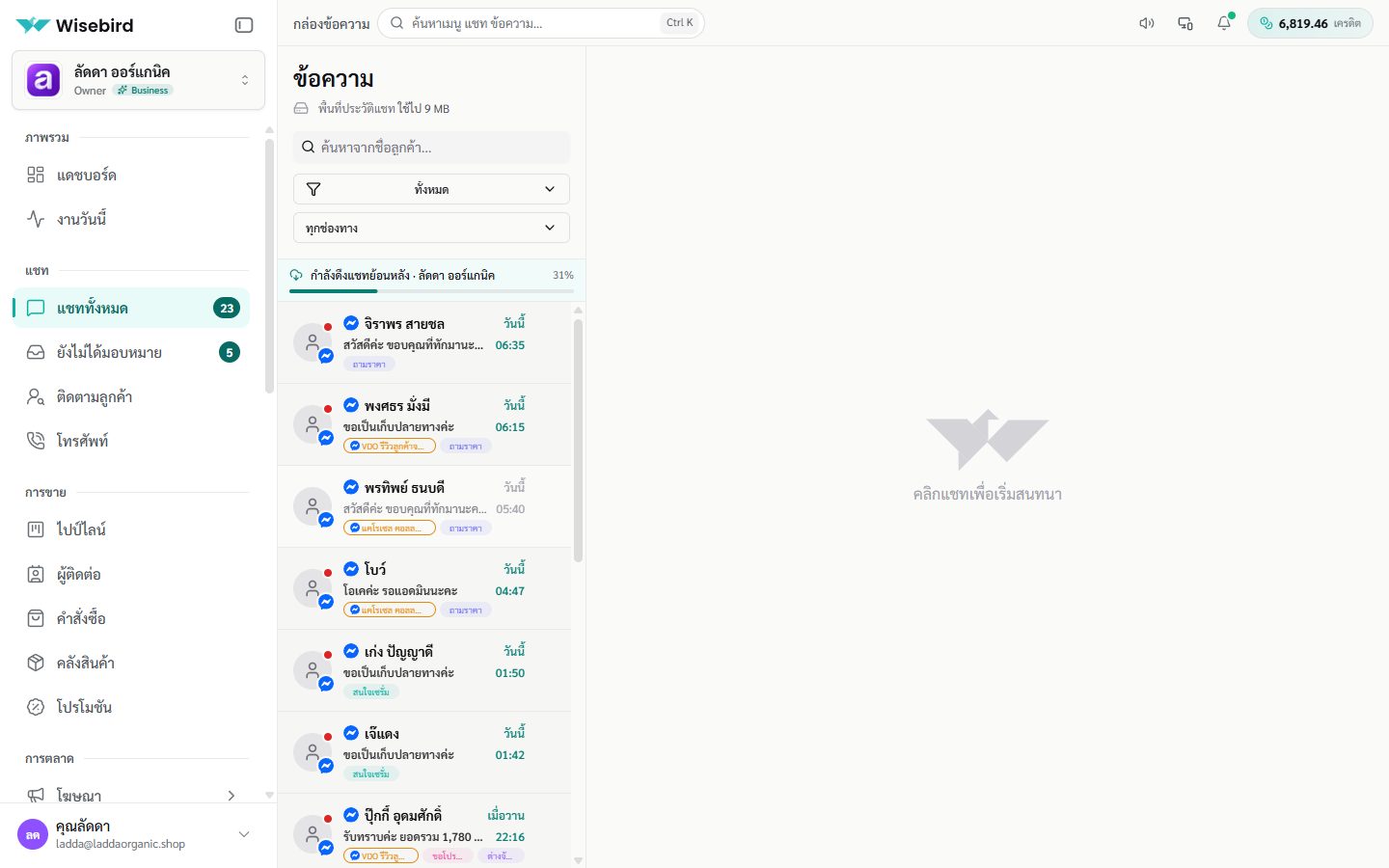
The panel's heading changes with each stage:
Stage 1
Counting conversations — the bar just moves back and forth because the total isn't known yet
Stage 2
Importing conversations — shown as "X of Y chats · N messages"
Stage 3
Syncing Facebook labels — Facebook Pages only
Always after the chats are in, so every chat gets its tags
Done
Past chats imported, with a tick. Press × to close the panel.
Stop the import (if you want to)optional
Press Stop on the panel. Chats already brought in stay.
If it turns red with "Could not fetch past chats", press "Try again"
Usually the channel's connection has a problem. First check the channel doesn't say "Token expired" or "Reconnect needed", then press Try again.
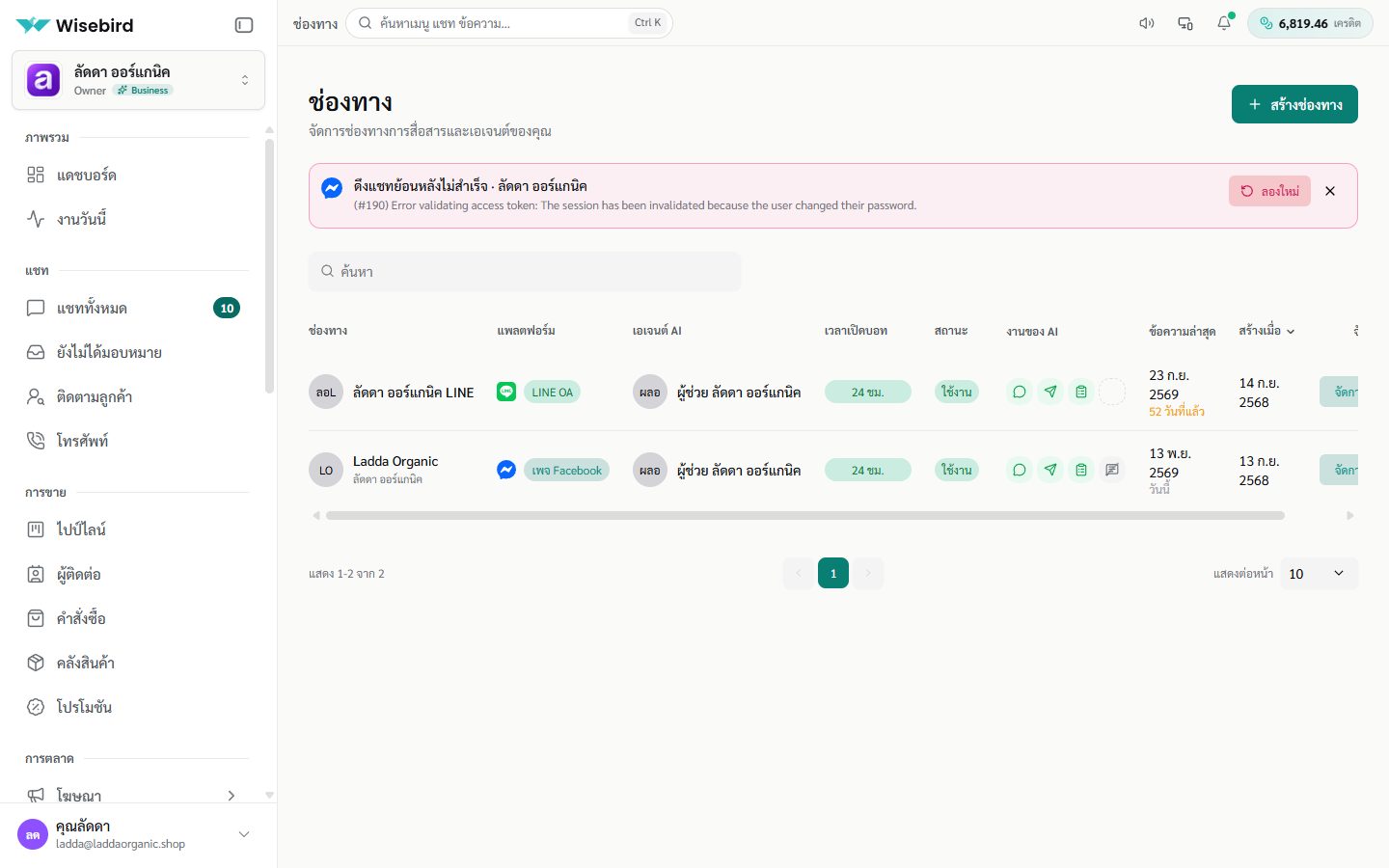
The red panel with "Try again" — "Could not fetch past chats · channel name"; under it, Facebook's own message giving the reason (here an expired connection after a password change), "Try again" and × to close
03Facebook labels become tags
Labels your team put on customers in the Facebook Page inbox (Meta Business Suite) become tags on the same chats in Wisebird. After that, whenever someone adds or removes a label in Facebook, the tag follows right away.
- Labels Facebook itself puts on chats from ads don't become tags; they tell Wisebird which ad the chat came from
- Labels sync automatically after the old chats are in and every time the Page is reconnected, and you can start a sync yourself on the channel page
To re-sync every label: press "Sync tags from Facebook"optional
Open the Page's channel page. In the "Channel controls" card, the Tags from Facebook row has a Sync tags from Facebook button. All labels are synced again and the Channels page shows "Syncing Facebook labels" (you need permission to edit channels). Reconnecting the Page also re-syncs every label.
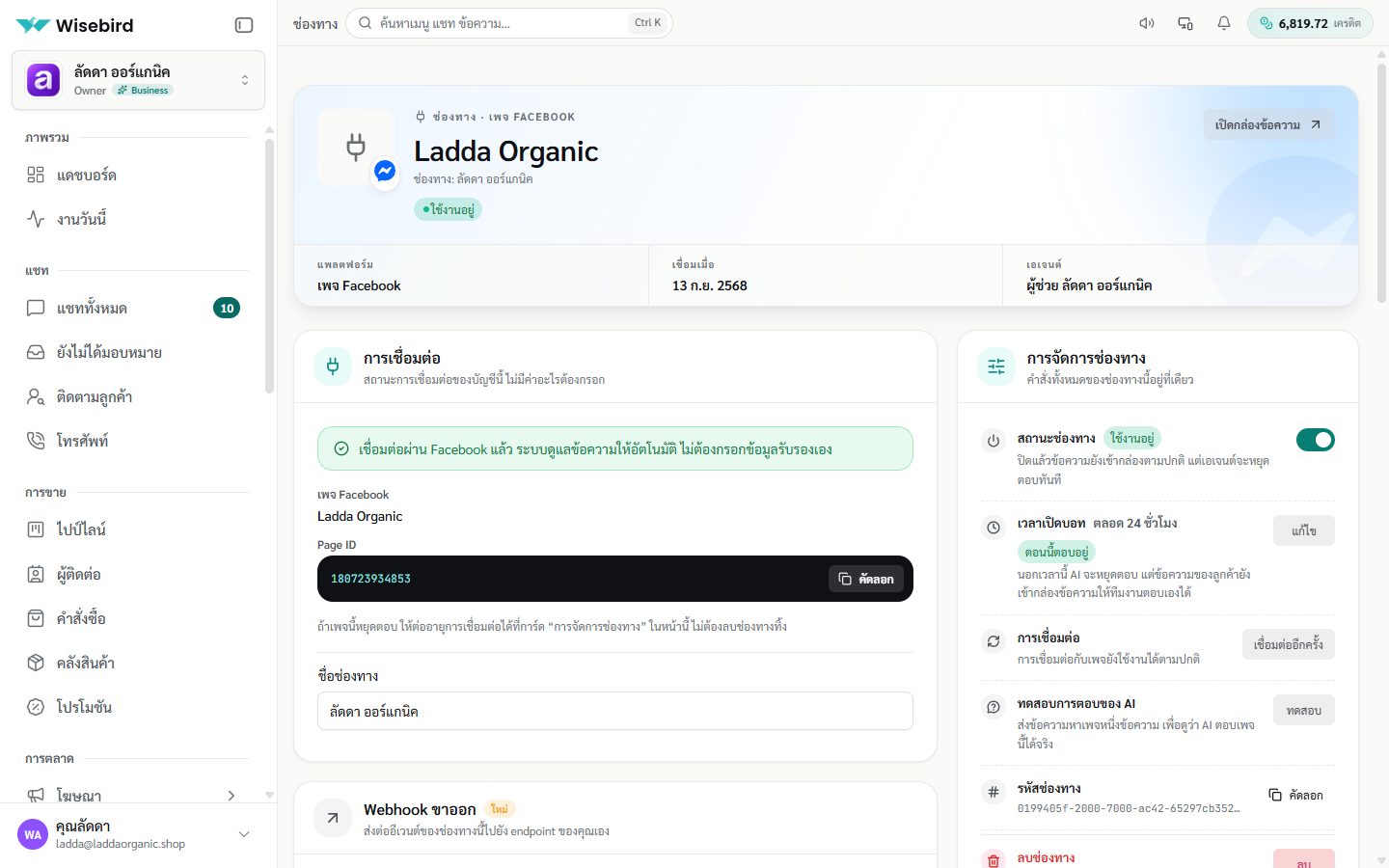
The Channel controls card — The "Reconnect" button in the Connection row (taken before the "Tags from Facebook" row was added) If the channel is still importing chats, no need to press it — the label sync runs by itself as the last stage of that import (pressing it then tells you the import is still running).
04LINE: no past chats
After connecting a LINE OA, the Channels page says "LINE does not support importing past conversations. Messages are stored from now on." An empty inbox does not mean the connection failed.
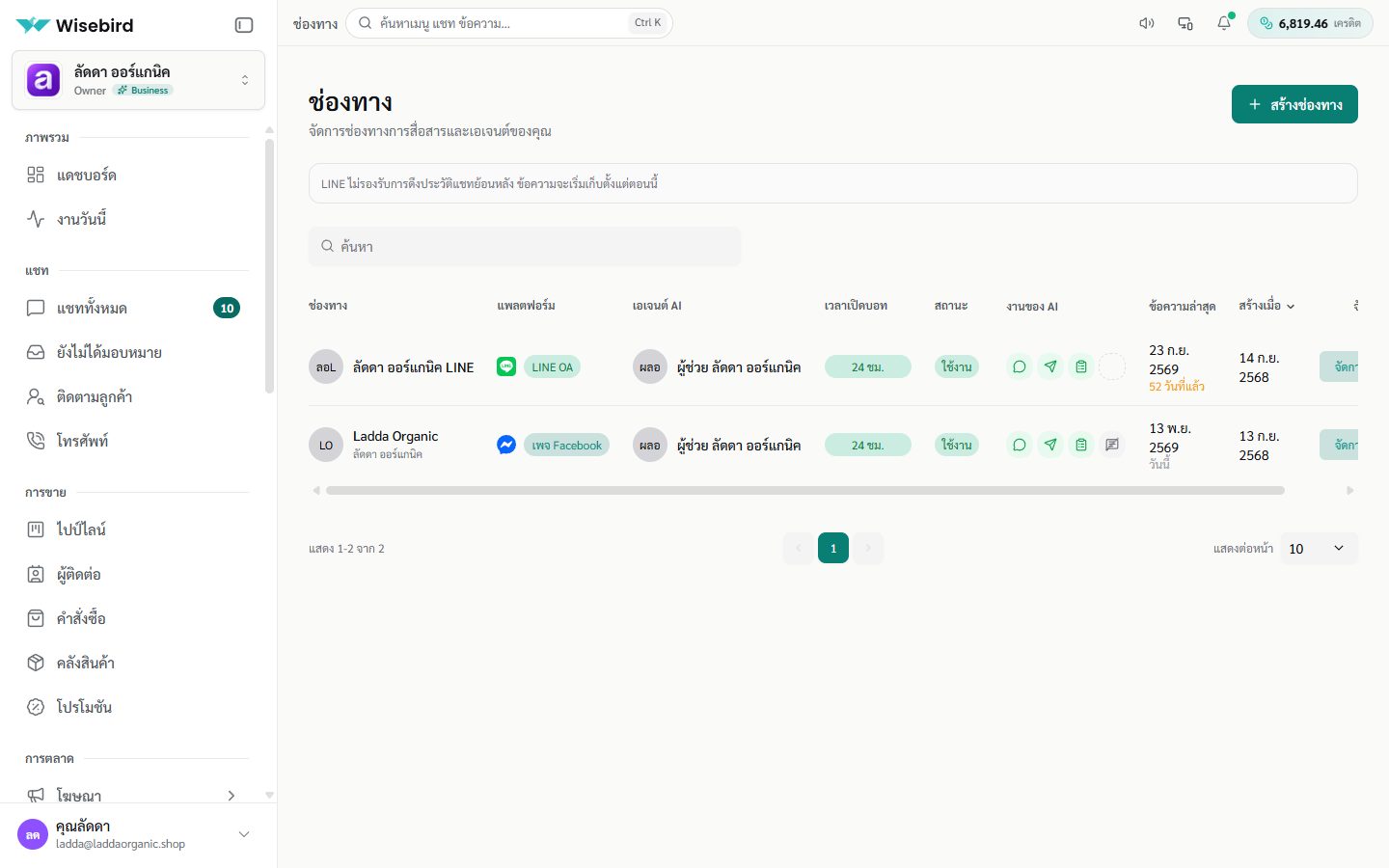
If the LINE OA supports it, you are offered to import followers as contacts instead (names, not old messages). See Connect a LINE OA.