01What's on the Follow-ups page
Tab 1
Today
Messages the AI drafted waiting for someone to send, follow-up calls, and call-back appointments. Each shows how many hours are left to send.
Tab 2
Sequences
Choose how each channel is followed up, and build the messages sent when a customer goes quiet.
Tab 3
Results
How many customers came back to the chat, and purchases within 7 days of a message. View 7 or 30 days.
Tab 4
Settings
A cap on messages per customer, how many can go out per day, tags never followed up, and call-back time slots.
02Setting up follow-ups
Choose how each channel is followed up
Open the Sequences tab. The box at the top, "Which channels to follow up", lists every channel — choose one at a time; it takes effect immediately.
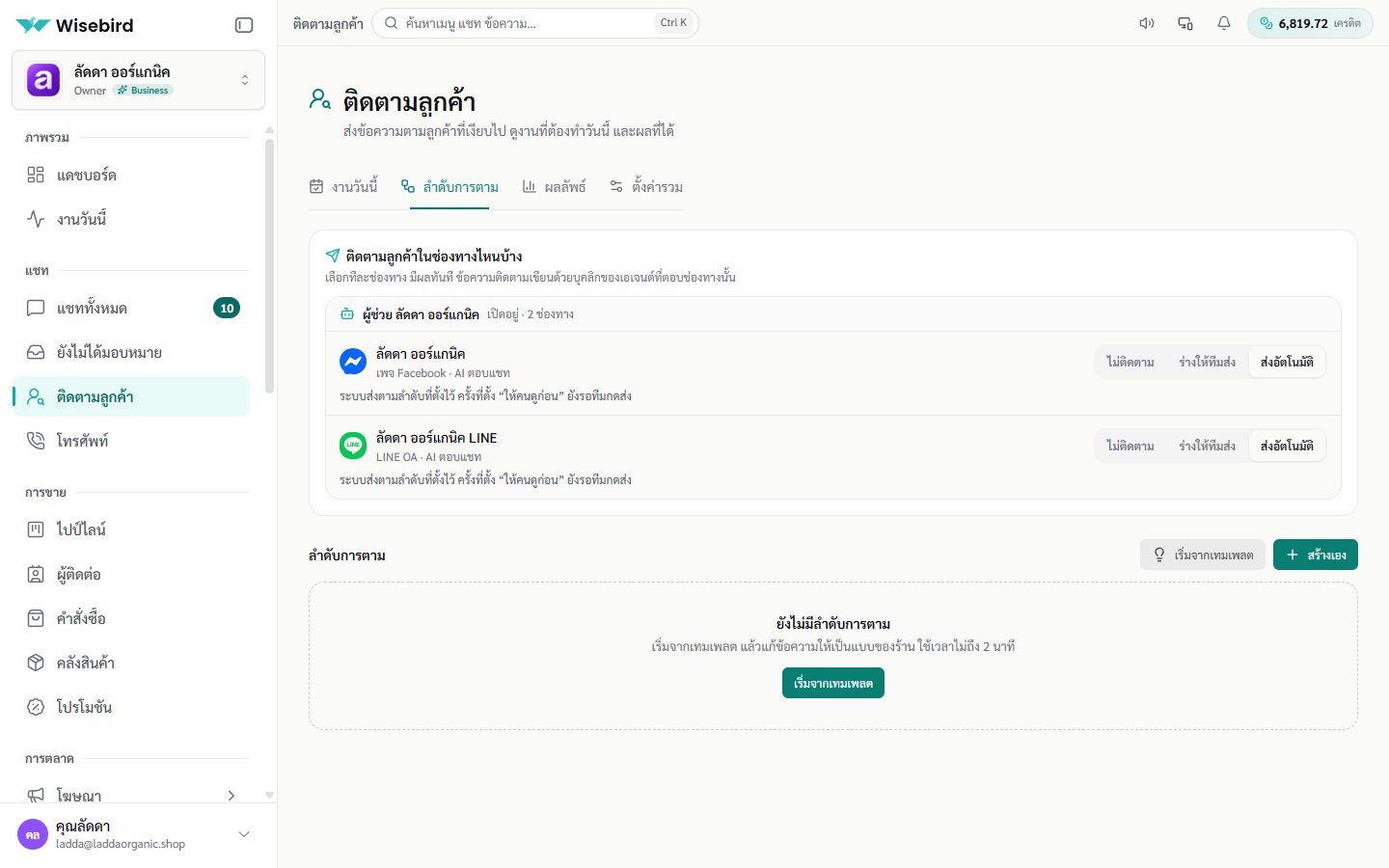
Choosing follow-ups per channel — Three choices per channel; the line underneath says what will happen - Don't follow up — nothing is sent or drafted on this channel
- Draft for the team — the AI writes messages into "Today" and your team sends them; nothing goes out by itself
- Send automatically — messages go out by the sequence; steps set to need a person still wait for your team
Follow-up messages are written in the personality of the agent answering that channel. A channel with no agent, or with its agent switched off, isn't followed up.Build a sequence from a template
Press Start from a template and pick the situation closest to your shop, or Create to start from scratch.
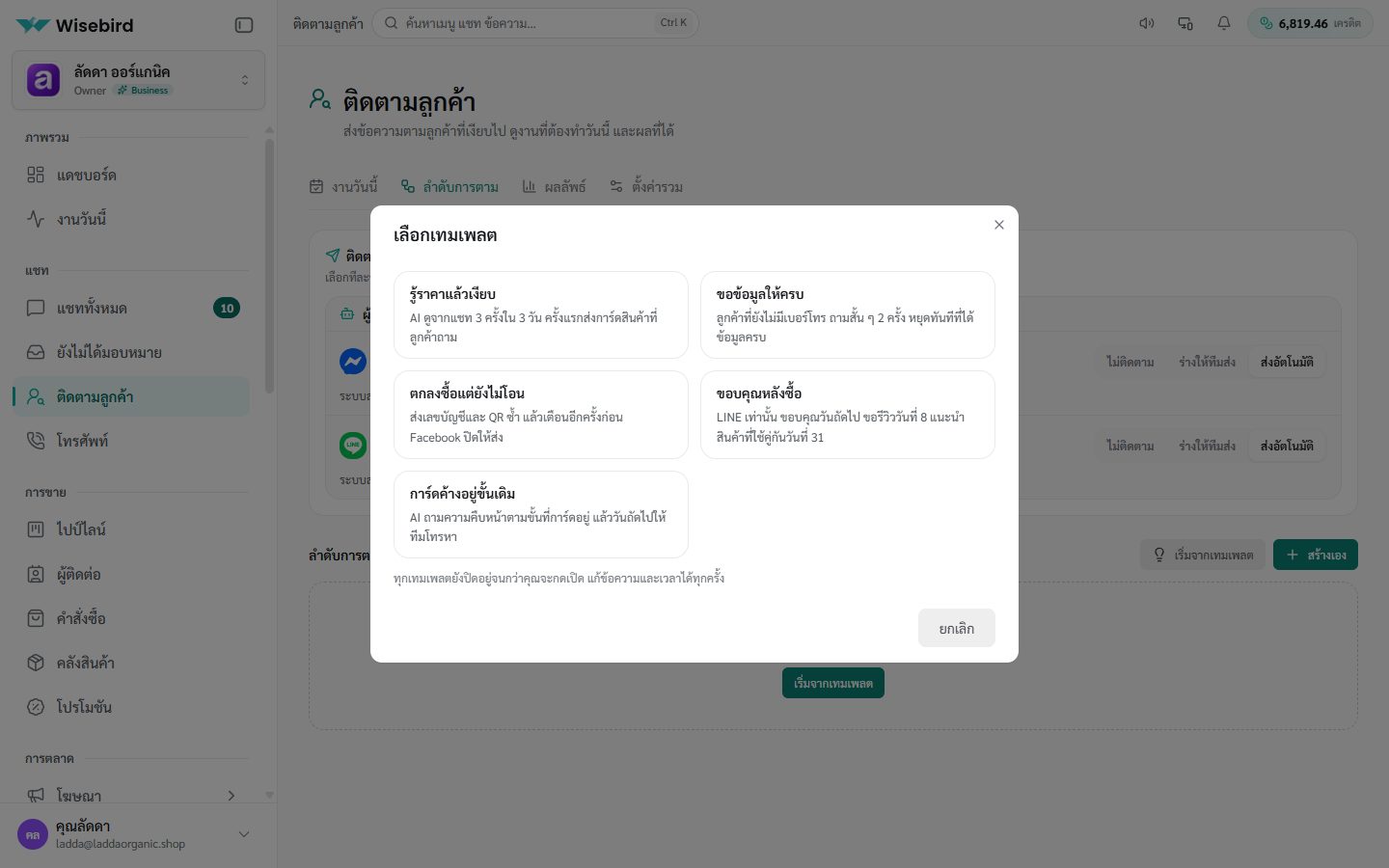
Choosing a template — Five templates: quiet after the price · get the missing details · agreed but not paid · thank you after purchase · card stuck in a stage Edit each step's message, timing and conditions to suit your shop, then save and switch it on. Every template stays off until you turn it on.
A sequence stops by itself when: the customer replies · someone on your team replies · the customer asks to stop or blocks you · a purchase is recorded · or any other condition you picked.
Facebook and Instagram allow messages for 24 hours after the customer's last message (TikTok 48 hours); steps past the window are skipped automatically. LINE has no window but uses your LINE OA message quota.Open "Today" every day
In Today, read the messages the AI drafted, edit them or ask the AI to rewrite, then press Send (or select several and send them together). Anything nobody sends before its window closes drops off by itself.
In any chat you can also ask the AI for a follow-up from the ⋮ menu › Draft a follow-up with AI, and see which sequence the customer is in on the right-hand panel, under "Follow-up sequence".
03The phone system
The Phone page connects to the phone system your shop already uses (such as 3CX), or takes audio files you upload. Wisebird transcribes each call, summarises what was said, scores it and flags calls worth listening to again.
Turn on the phone system
The first time you open the page, press Turn on the phone system. Turning it on is free; credits are used only when a call is actually analysed.
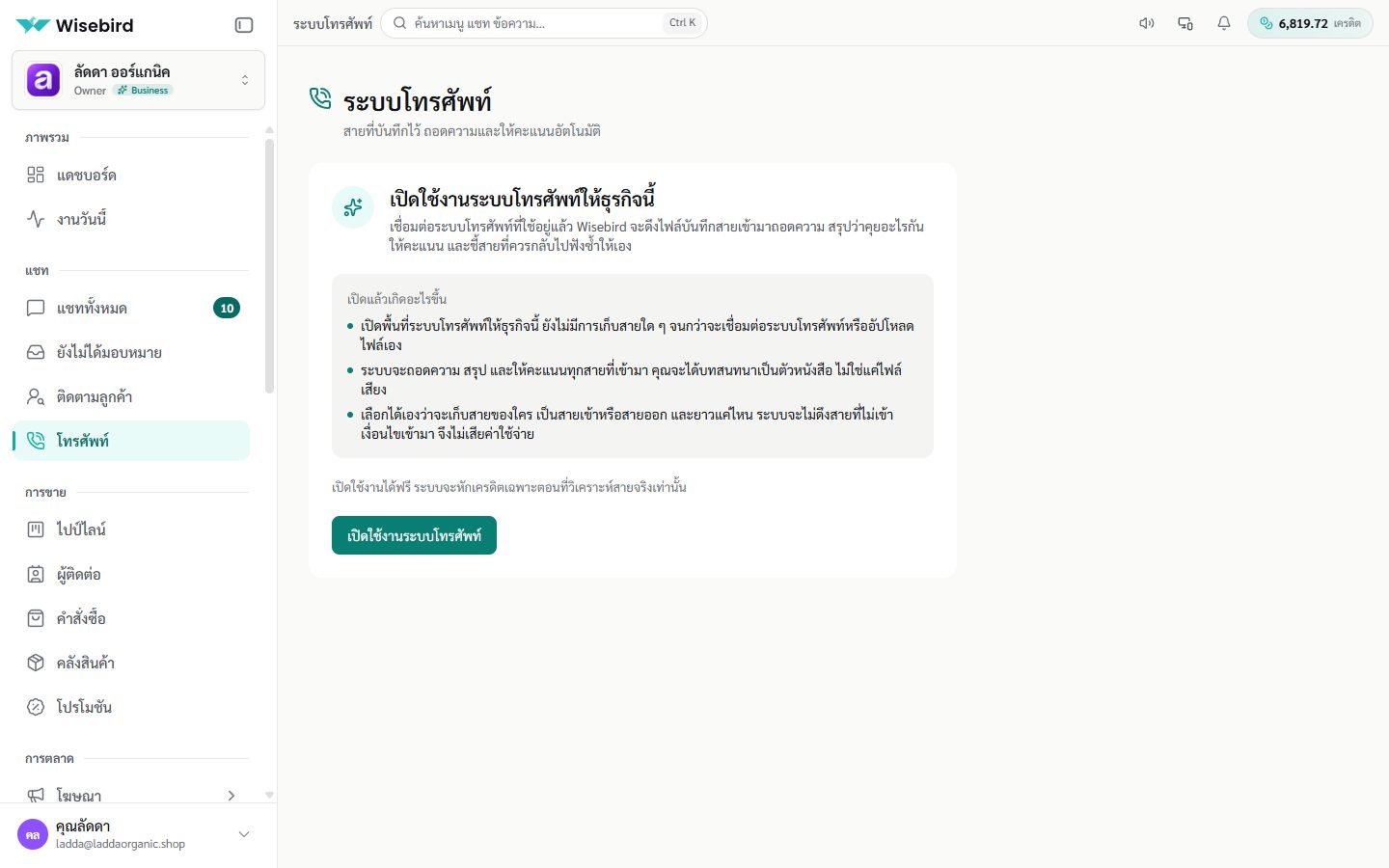
Turning on the phone system — What you see before turning it on — it explains what happens next Nothing is collected until you connect a phone system or upload files, and you choose whose calls, inbound or outbound, and how long.Connect, then match numbers to staff
On the Connections tab, set up where calls come from. Then on the Staff tab, match each extension to a team member so every call shows who was speaking.
The Connections tabSetting up where calls come from (the sample shop hasn't turned on the phone system)Screenshot coming soon
04The tabs on the Phone page
- Calls — every call, filtered by staff, direction (in/out), status and date. Open one to listen, read the transcript and see its score
- Dashboard — call volume, inbound/outbound split, average score and top performers
- Search transcripts — find words said in calls (transcribed calls only)
- Coach — each person's results, such as whether they called back when they promised
- Scoring — tell the system what your shop does and what to score calls on; applies to calls analysed after you save
A customer's calls also appear on their page in Contacts when the number matches.