01The status under a message
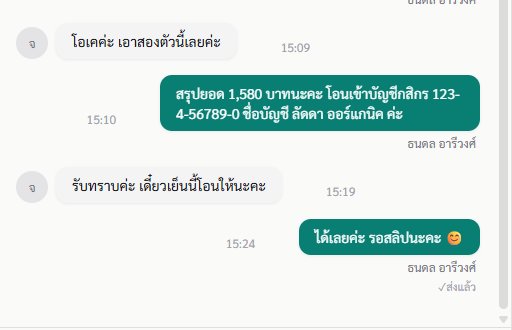
Sending…
The message is on its way to the platform — you can type the next one meanwhile
Sent
The platform has accepted the message
Delivered
The message reached the customer's device
Facebook and Instagram report this · LINE doesn't, so you'll only see "Sent"
Seen
The customer has opened it
Only on channels whose platform reports reads
Underneath you also see who sent it: Sent by AI or the team member's name. Messages from the follow-up system say Sent by Follow-up.
02When a message fails
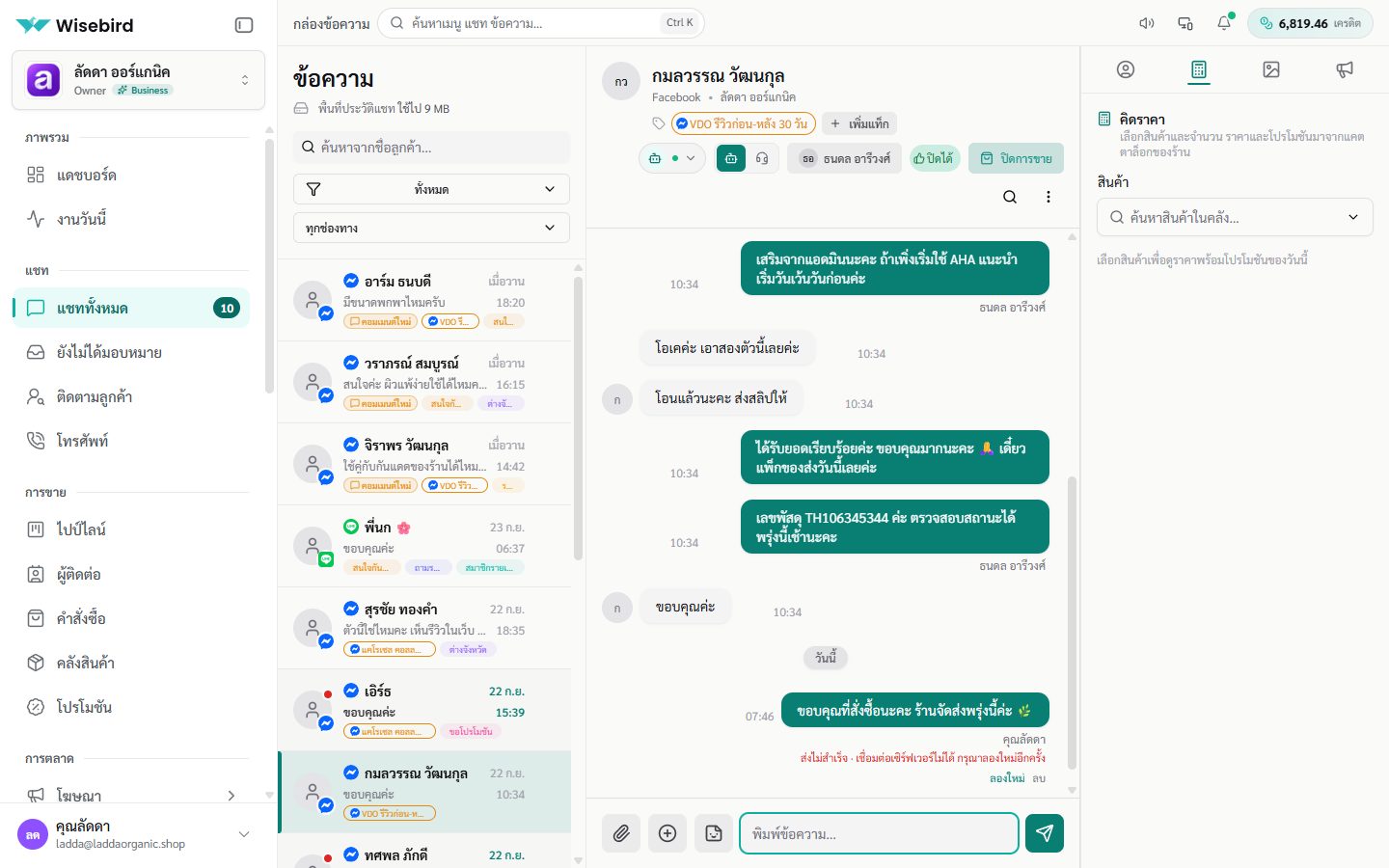
Read the reason under the message
More than 24 hours since the customer's last message
Automatic messages can't be sent, but your team can still reply by hand within 7 days
Facebook / Instagram
More than 7 days since the customer's last message
Nothing can be sent until the customer writes again
The customer opened the chat from an ad but hasn't typed yet
Wait for the customer to type first, then send
TikTok
This channel's connection has expired
Reconnect it on the [Channels](/integrations) page
The LINE OA has used its monthly message quota
Upgrade the LINE OA plan or wait for the new month
Sending too fast / can't reach the server
Wait a moment, then press Retry
Retry or delete
Press Retry to send the same message again, or Delete to remove it from the chat. A failed message never reached the customer, so deleting it is invisible to them.
03When a customer blocks you
When a customer blocks your shop, a bar appears above the reply box. Platforms don't tell us the same amount, so there are two kinds.
LINE
This customer blocked your account
LINE tells us directly. The reply box closes — "Can't send — this customer blocked your account" — until the customer unblocks or adds the account back as a friend.
Facebook / Instagram
This customer may have blocked your account
Facebook never reports blocks, so this is a guess from messages that didn't arrive. It only warns — you can still try, because sometimes it does get through.
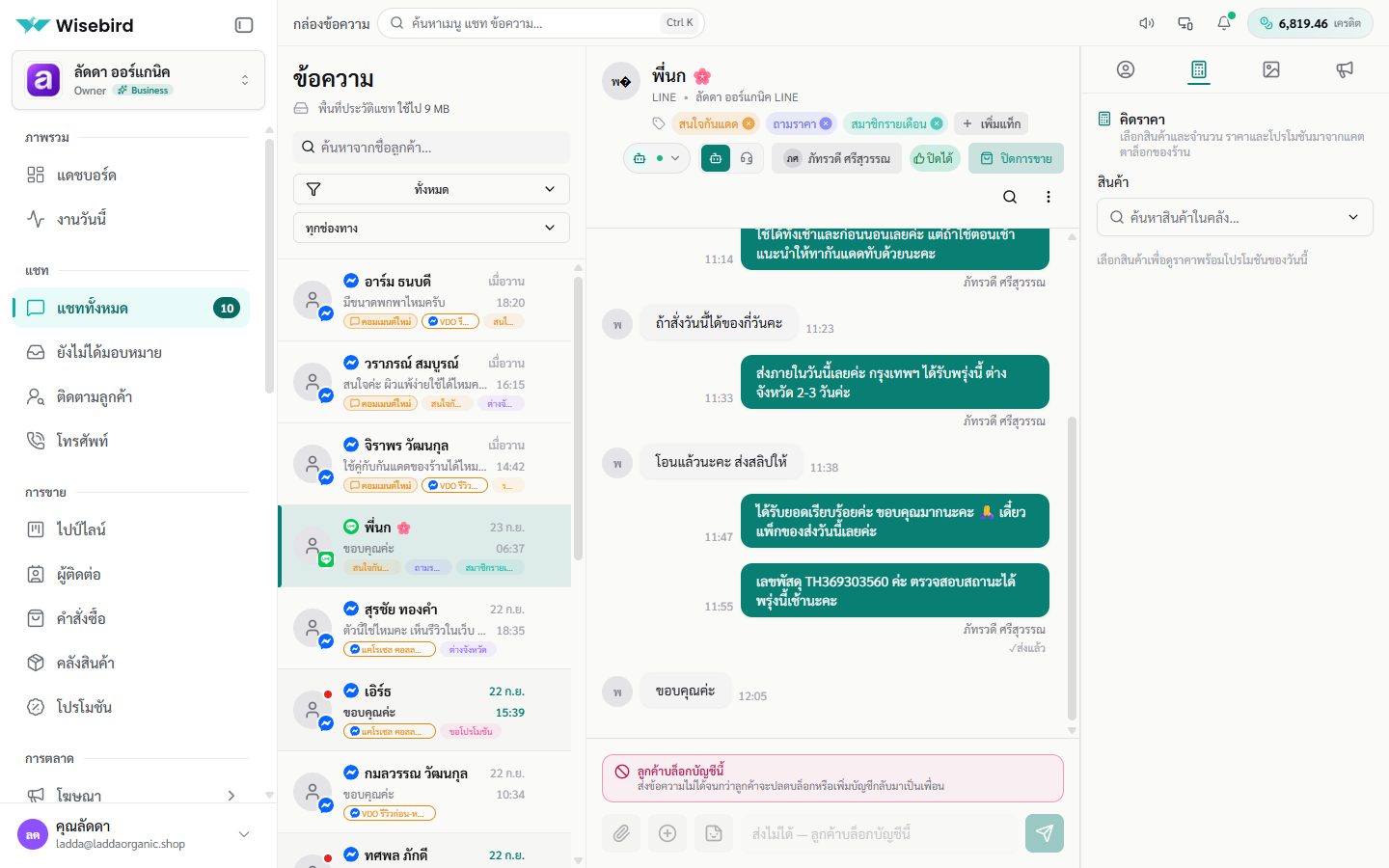
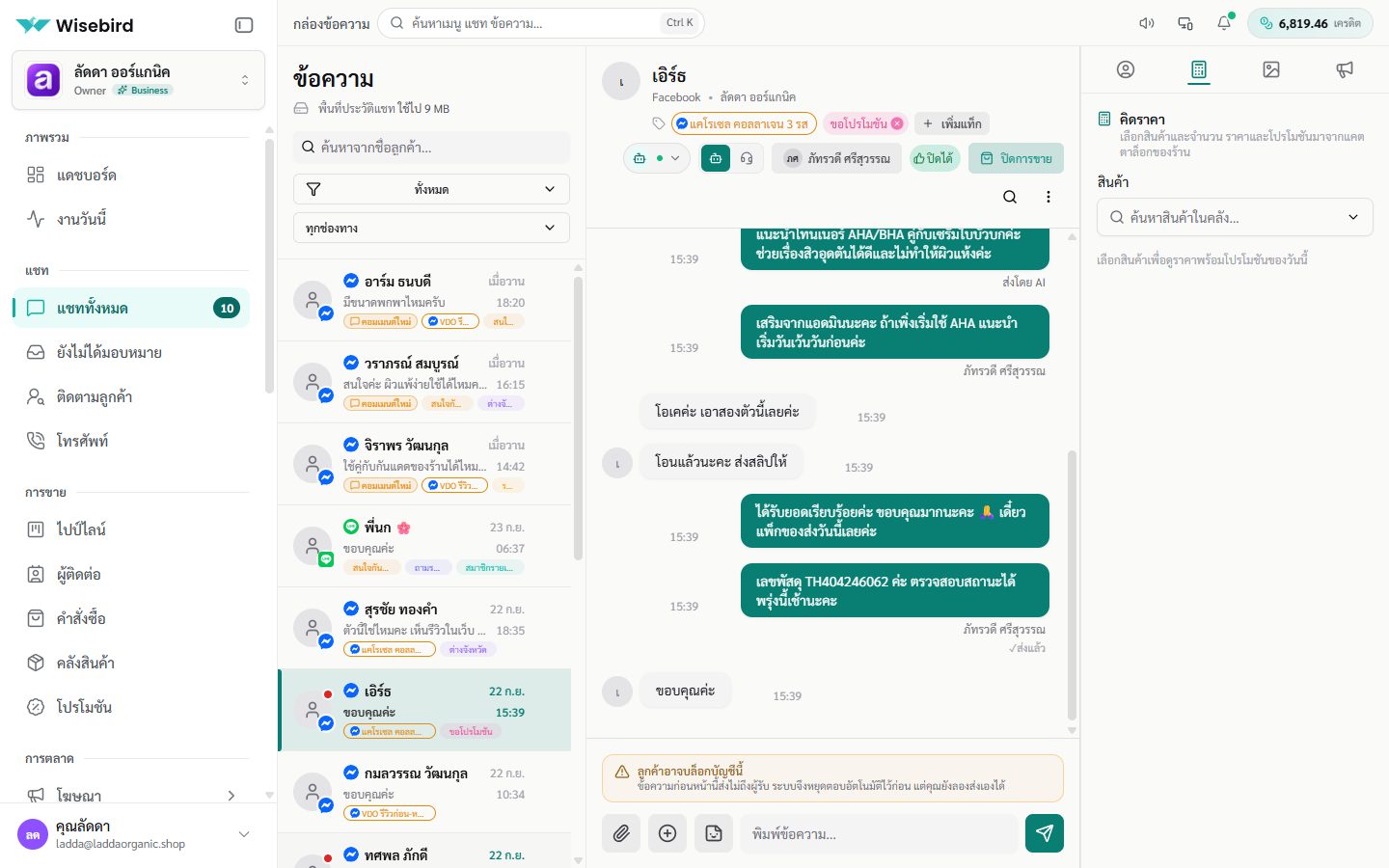
- In both cases the AI and automatic follow-ups stop sending in that chat, so you don't waste quota or make the Page look like it often fails to deliver
- The bar clears by itself when the customer writes again, or (LINE) adds you back, or (Facebook) a message is delivered successfully
04Why isn't the AI answering this chat?
Look at the chat header. Who answers this chat has two buttons: the robot icon = AI agent · the headset icon = Human agent. The green one is the current state.
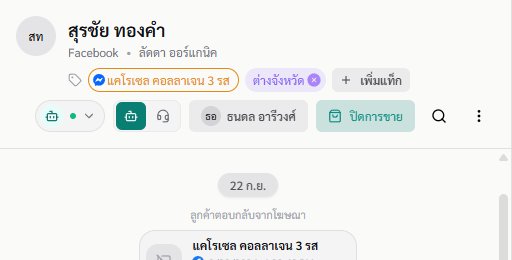
"Human agent" is on
The AI won't answer this chat at all — press "AI agent" to bring it back
it uses the stop-bot tag set in Settings › Sales
There is an "AI paused until …" label
Someone on the team just replied, so the AI is quiet for a while. Press the label and choose "Let AI answer again" if you don't want to wait
The agent or the channel is switched off
Turn it back on on the [Agents](/agents) or [Channels](/integrations) page
There is an "Another app has this chat · AI not replying" label
Your Facebook Page still lets another app hold its chats — follow [the guide to fixing AI replies on your Page](/guides/messenger-routing)
The customer blocked you, or may have
The AI stops until the customer writes again (see above)