01How it works
1
The customer talks about wanting a website; the AI asks for the business name, type, goal, what they sell, style, colours and contact details
up to 6 pictures the customer sent in this chat can be used
2
The AI lists what it will build, one item per line, for the customer to confirm or correct — nothing is built until they agree
3
The site is built, usually in 3–10 minutes; meanwhile the AI keeps answering as usual
4
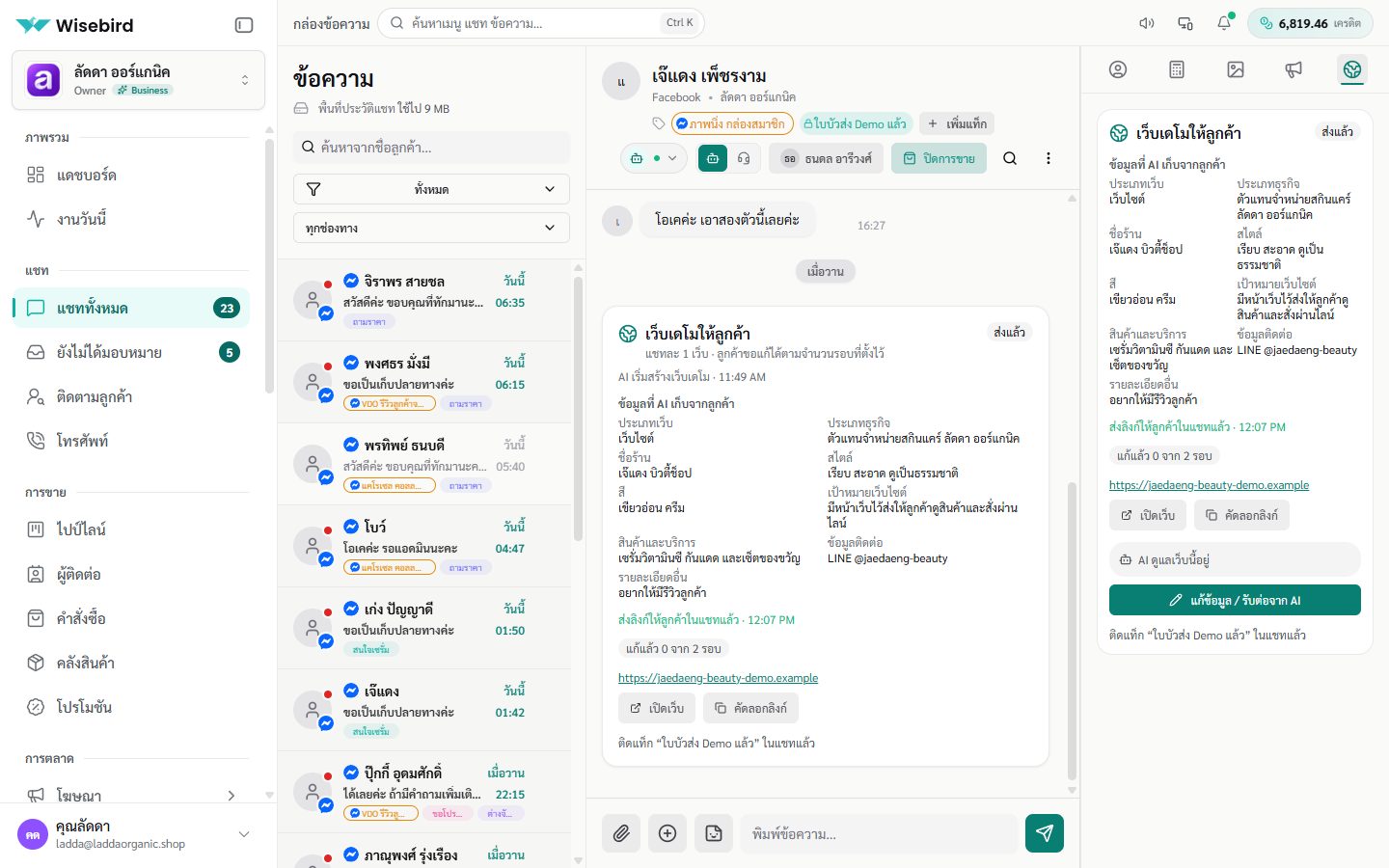
The link is sent in the chat, the chat is tagged "ใบบัวส่ง Demo แล้ว", and your team is told
Kind 1
Website
A page or a few introducing the business — fits most shops
Kind 2
Web app with a database
When the customer needs to keep data — bookings, orders, sign-ups. Comes with a back-office page and a sample login; takes longer
The AI chooses the kind from what the customer describes.
02Turn it on
Ask the Wisebird team to enable it
This capability depends on your plan. If your agent’s Skills page has no Capabilities from Wisebird section, it isn’t enabled yet — contact the Wisebird team.
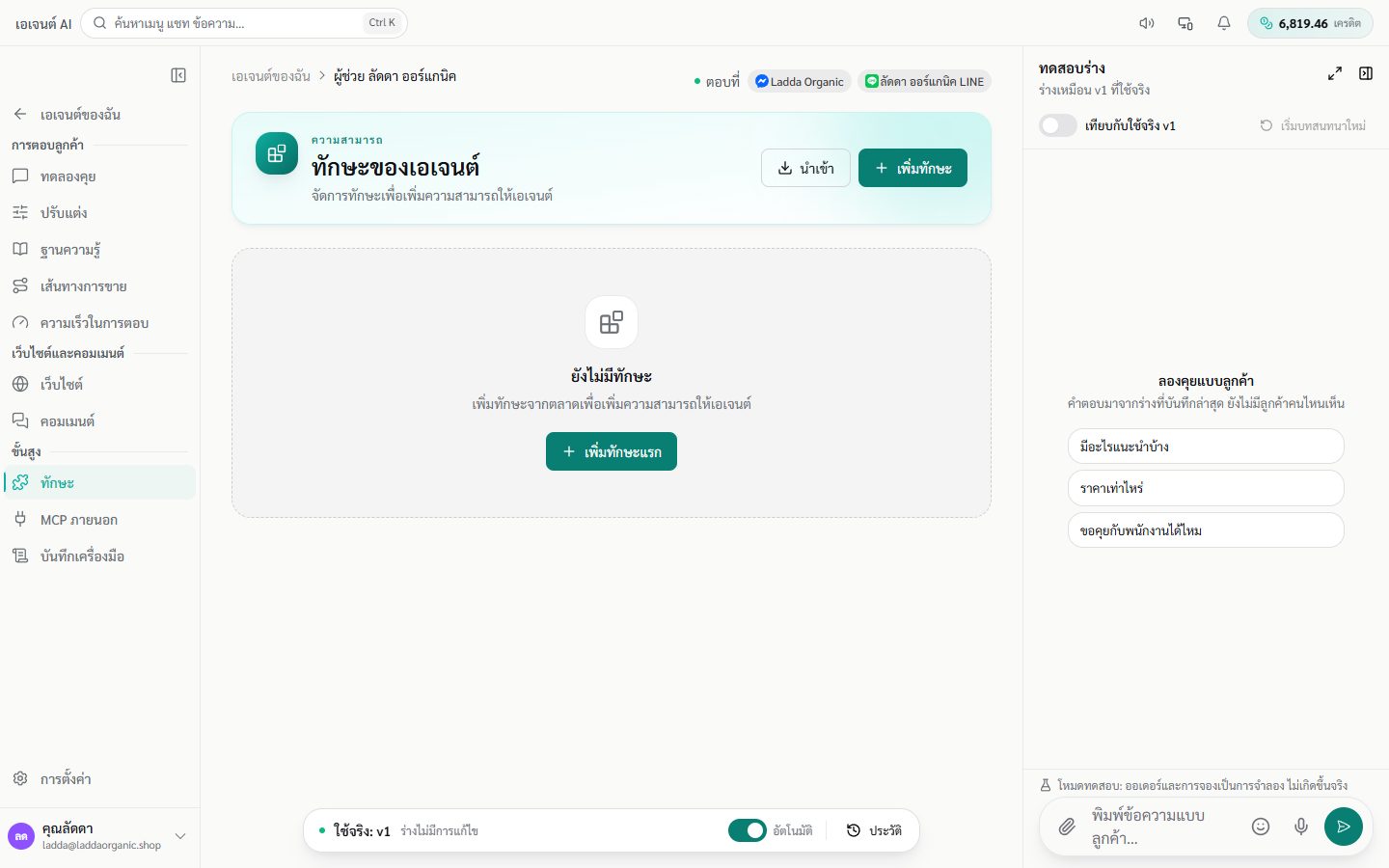
The agent’s Skills page — The Skills page of a shop without this feature. Once enabled, "Capabilities from Wisebird" appears at the top, above the skills list Turn the switch on for the agent
My agentsChoose the agentSkillsCapabilities from WisebirdBuild a demo website for customers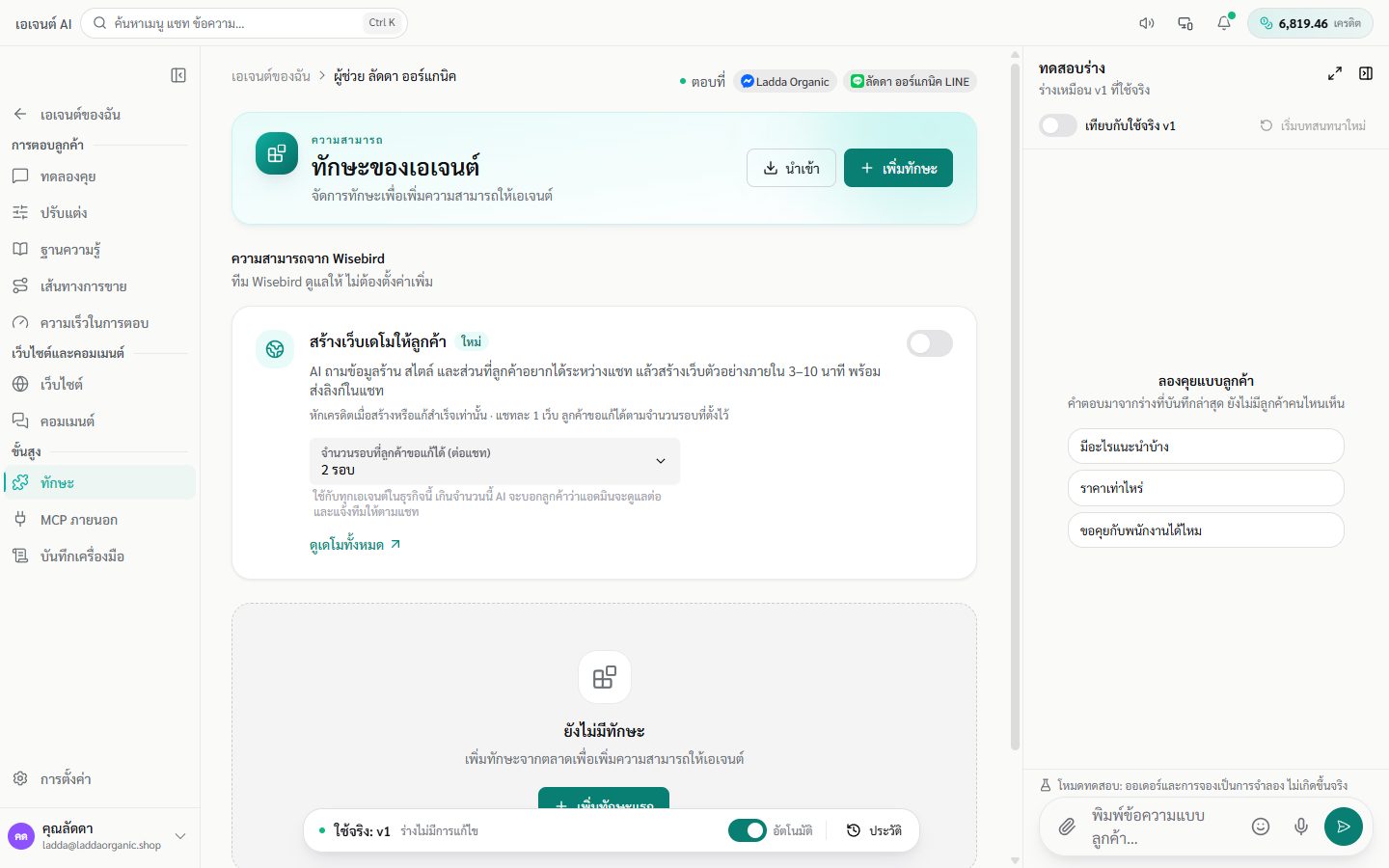
The "Build a demo website for customers" row — The "Capabilities from Wisebird" section on the Skills page: the switch at the top right, the description, the rounds of changes a customer may ask for (per chat), and "View all demos" Turn it on only for agents that answer customers who may want a website. On the same row set Rounds of changes a customer can ask for (per chat) (2 by default, for every agent in the shop).
Once switched off, the AI takes no new demo requests; demos already being built are finished.
03Follow up demos and customers
Whenever a demo is sent, can’t be delivered, or fails, your team sees a notice in the group For your information · AI is still answering. Press Take charge to become this customer’s owner. The AI does not stop answering.
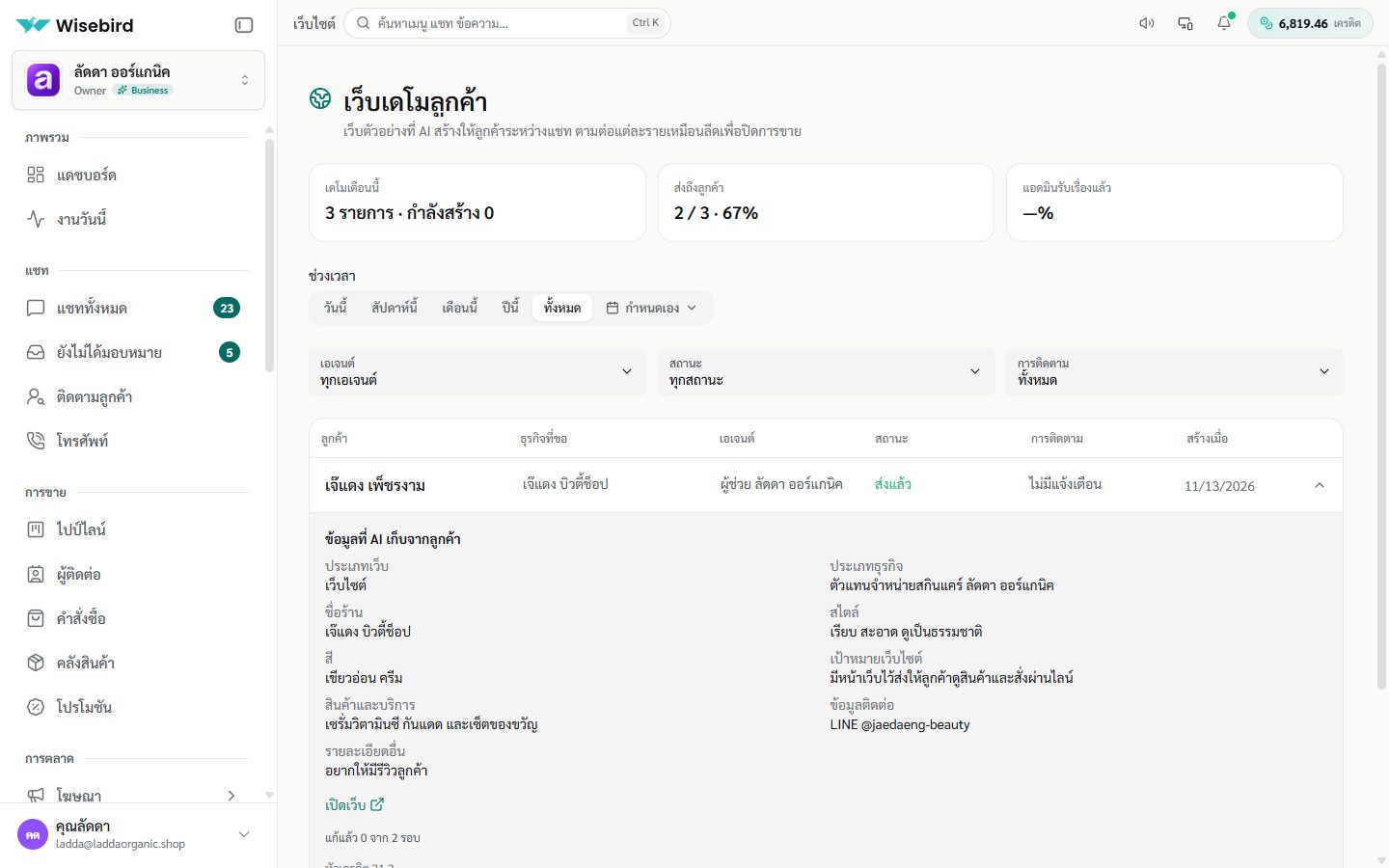
- Customer demos (under the Website menu) lists every demo, filtered by agent, status, follow-up and period
- A web app comes with a sample login, sent to the customer with the link; press Copy link and login to send it again
- If the customer asks for changes, the AI changes the same site and sends the link again; past the limit, it tells the customer an admin will take over and alerts your team
- An admin can press Edit / take over from the AI to manage the demo — change the link, add a note. Nothing is sent to the customer automatically; Hand back to the AI later if you like