Done 0/2
01Where comments show up
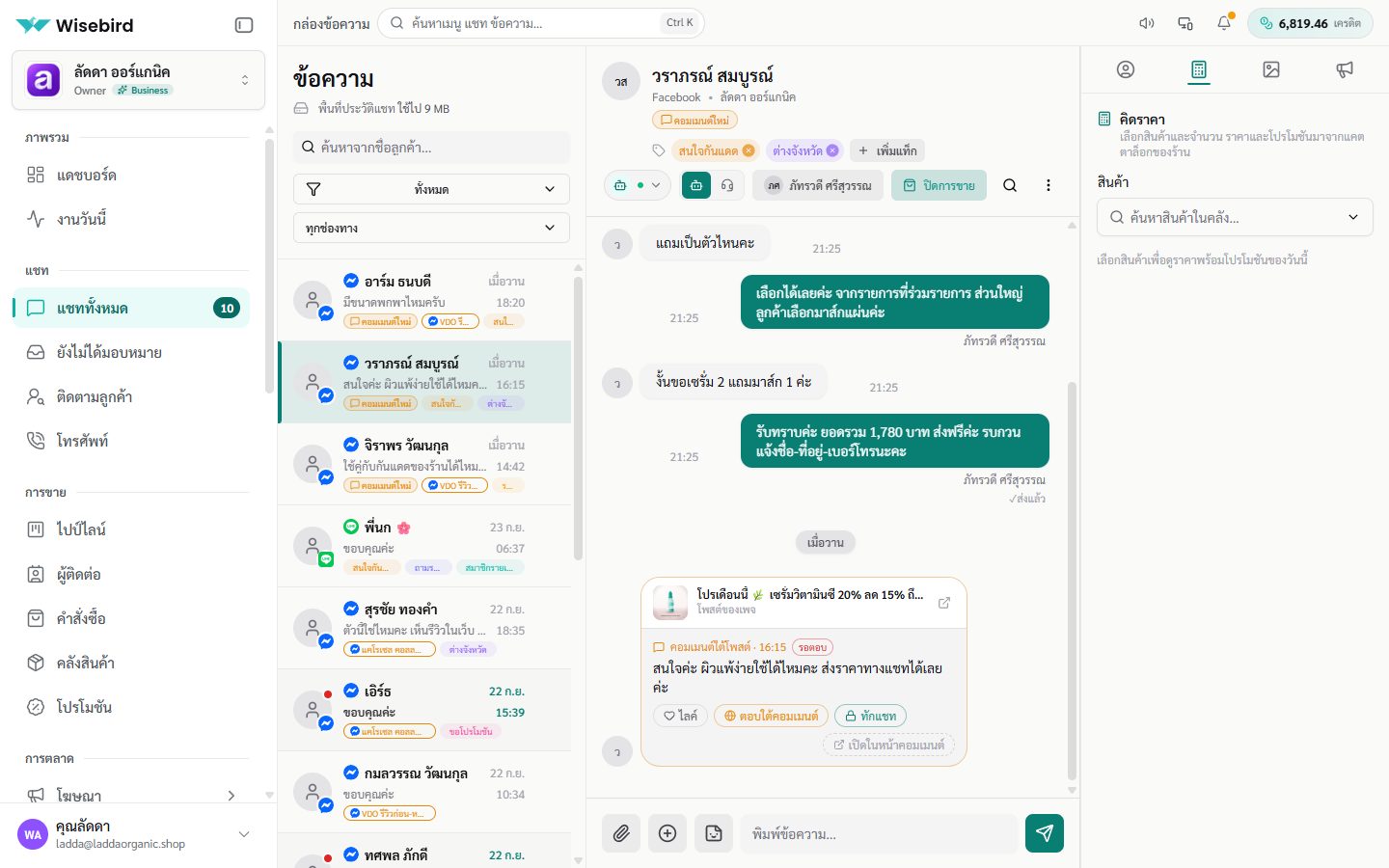
- In the chat list — a customer who has only commented carries an orange Comment label; once they have messaged you it becomes a green From a comment label, and an unanswered new comment adds a New comment label
- In the conversation — each comment is a "Comment on a post" card naming the post, placed in real time order among the messages. The Page's public replies are dashed orange bubbles labelled "Reply under the post · everyone sees it"
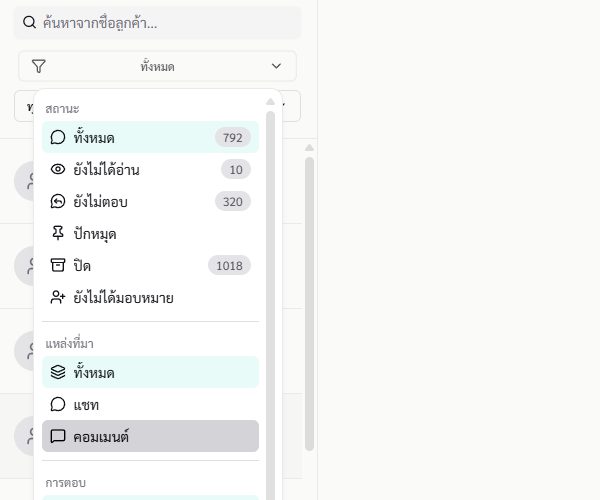
To see only chats that came from comments, use the filter above the chat list › Source › Comments.
02Answering a comment
Choose how to answer on the comment card
Public
Reply under comment
Answers under the post, visible to everyone who sees it. Good for questions others want answered too, like price or how to order.
Private
Message privately
Sends a message to the customer's Messenger / Instagram Direct. Good for personal things like address, phone or payment amount.
Once you pick one, a bar above the reply box shows where it will go: orange = reply under the comment · green = private message. The send button also says where the message is going.
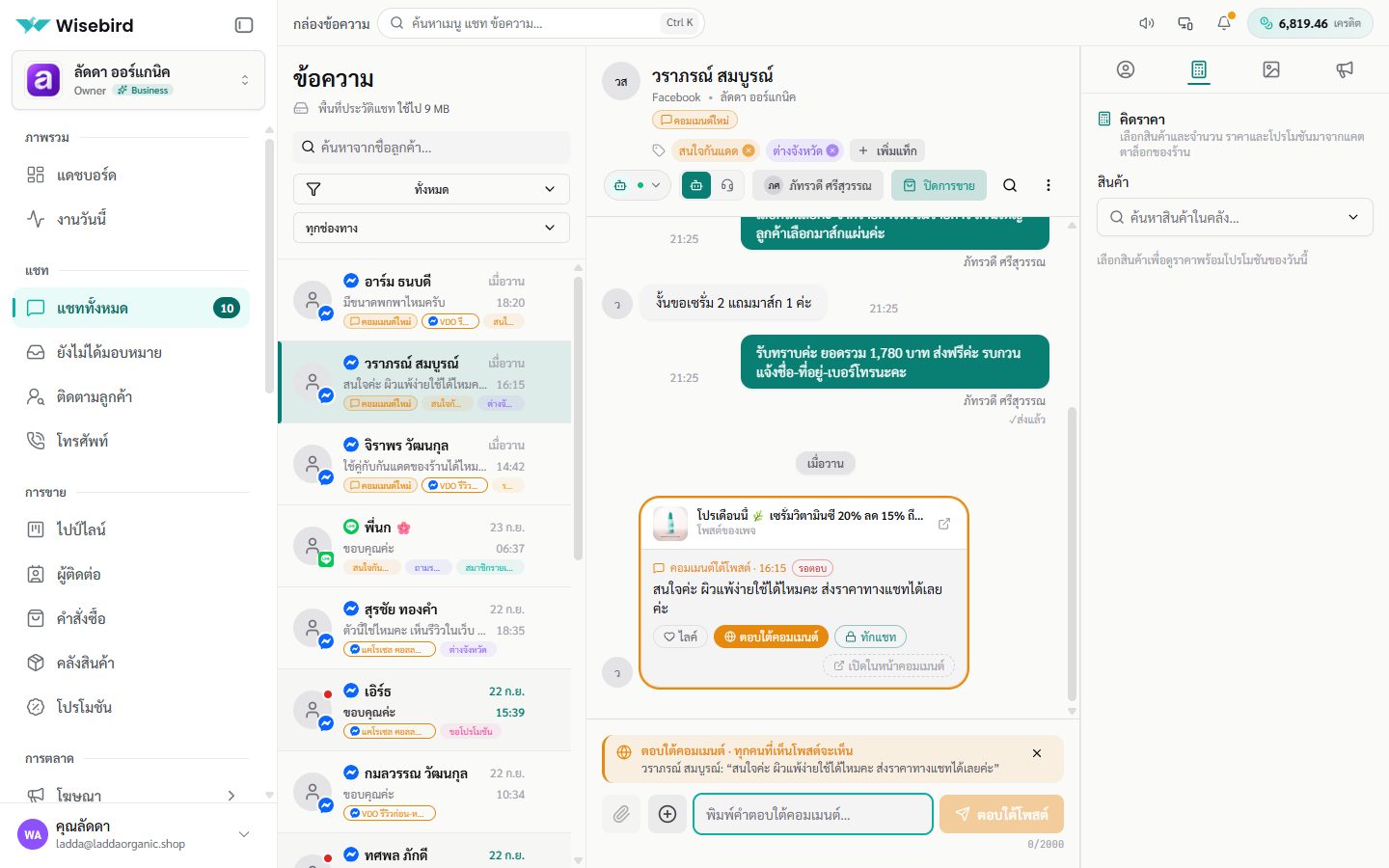
Orange destination bar: reply under the comment — After "Reply under comment" the orange bar says everyone who sees the post will see the answer and the send button becomes "Reply on post". Press × to go back to an ordinary chat message 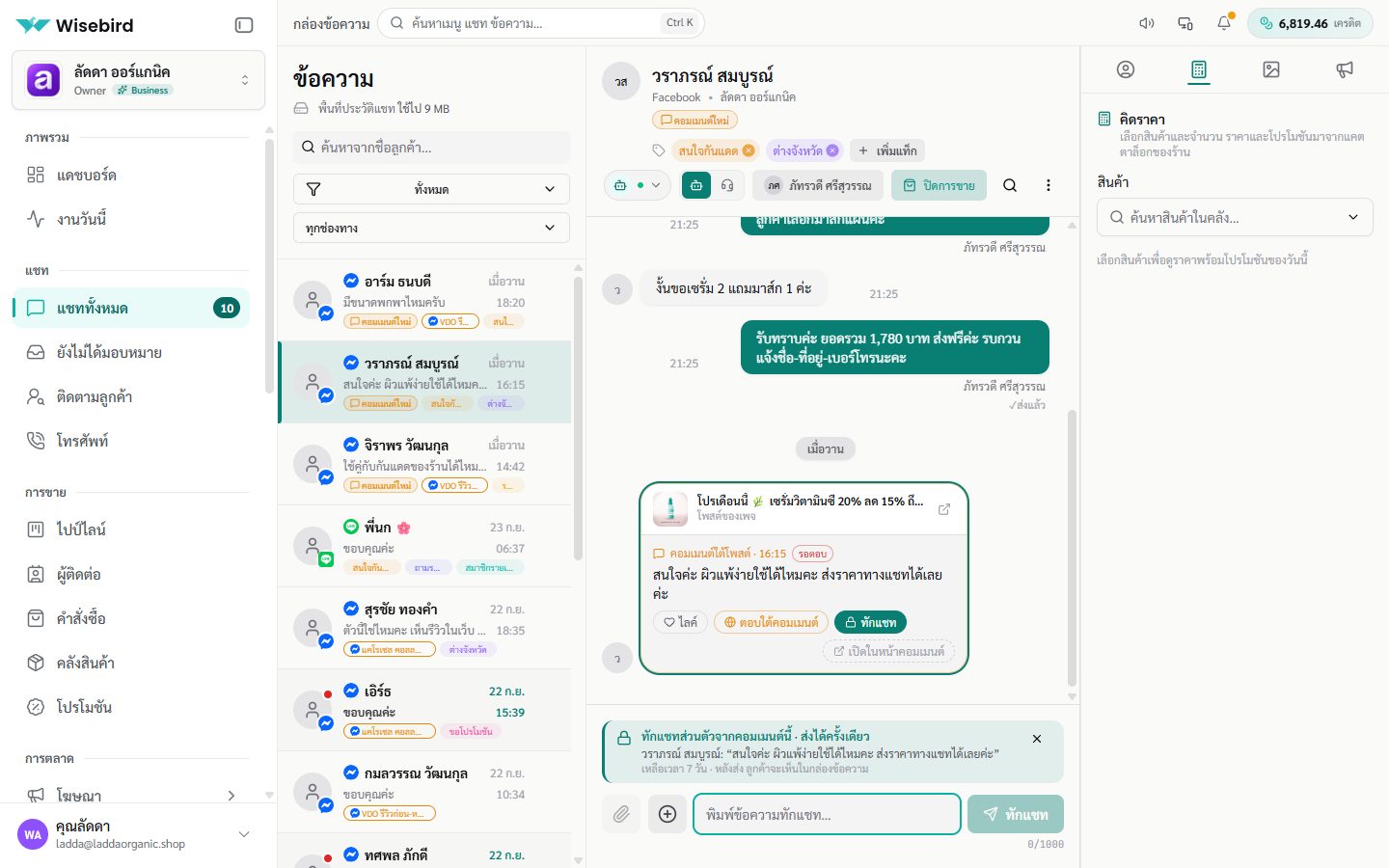
Green destination bar: private message — After "Message privately" the green bar reads "Private message from this comment · can be sent once" with the time left (for example 7 days), and the send button becomes "Message" Type and send
Type and send. Comment replies are text only (attachments and stickers are switched off), but presets still work. Press × on the bar to go back to normal chatting.
03Likes, and the comments page
- Like — press ♥ on the card to like the comment as the Page (Facebook only)
- Open in comments — goes to the Comments page, which gathers comments from every post. Both pages show the same data, so a reply from either shows on both, and the comments page has Open in inbox to come back to the chat
Comments left before this feature was turned on are not pulled into chats. That customer appears in the inbox the next time they comment.
Comments only come in on plans that include the Posts page. If you see no comments at all, check your plan on Plan & credits or contact the Wisebird team.